
GroupTide – Facebook Group Poster
GroupTide is a Facebook group poster for Windows. Post your offers into your own Facebook groups at a human pace, from one or more accounts – by hand, fully automatic, or on a schedule.
One-time payment · you save $24 on the regular price
Overview
Your offers in every group you belong to – without spending the day copy-pasting
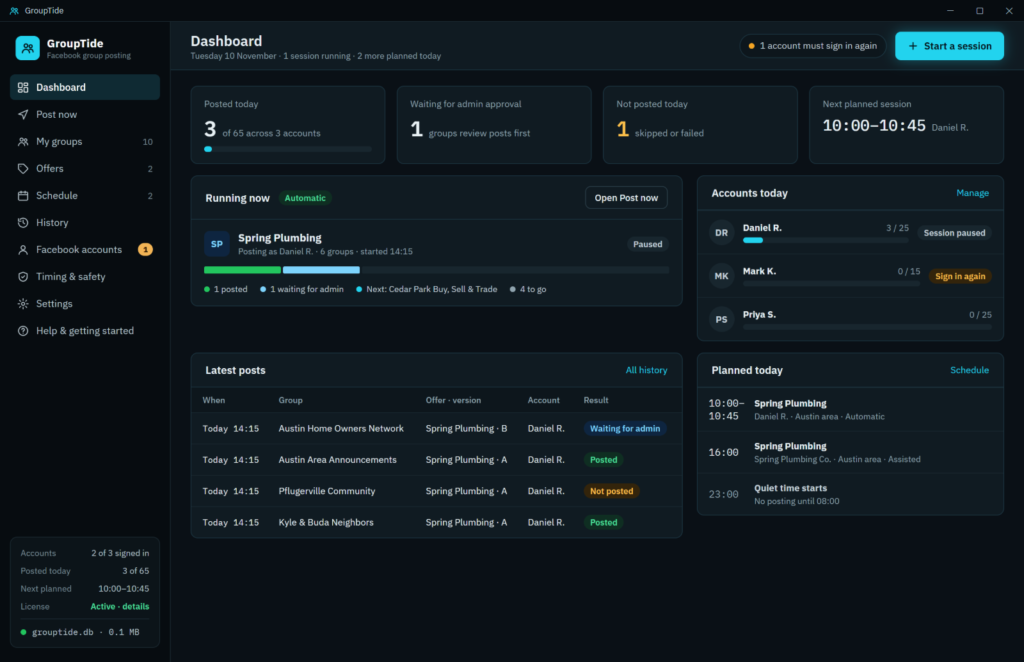
GroupTide is a Windows desktop app that posts your offers into the Facebook groups you're a member of, one group at a time, with natural pauses between posts. It drives the Microsoft Edge already on your computer, so you sign in on Facebook's own page and nothing else is installed.
How it works
-
1Add your Facebook accountsEach one signs in on Facebook's own page. GroupTide reads its groups and Pages, and keeps its own daily limit.
-
2Write an offerText, photos and a link, plus a few reworded versions. They take turns, so no two groups get the same words.
-
3Post now, or plan itPress Post yourself, let GroupTide post for you, or plan a session that starts by itself on the days you choose.
Inside GroupTide
Built to post like a person, not a bot
Every screen is about one thing: getting your offer in front of your groups, at a pace Facebook sees as normal.
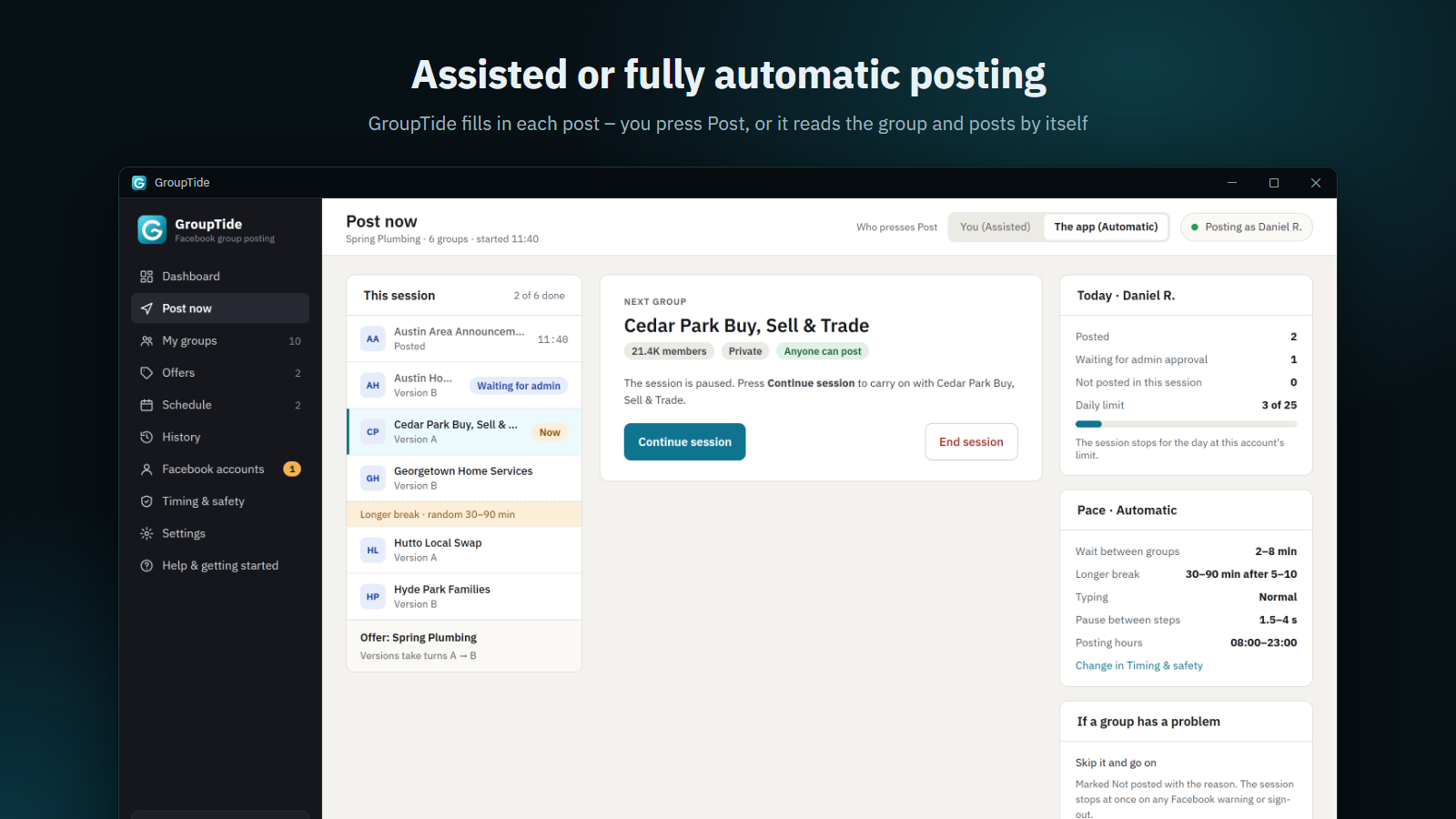
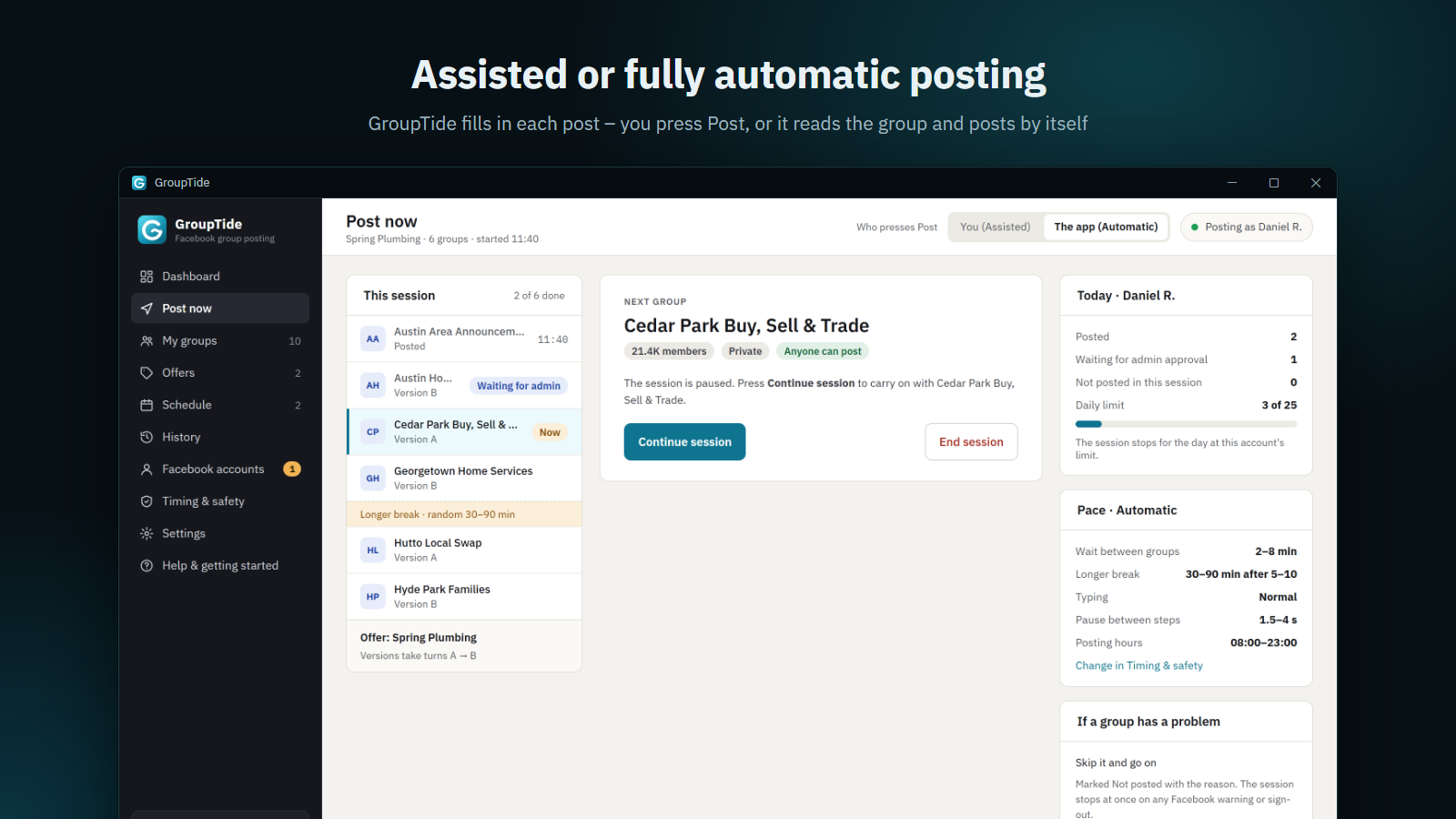
Assisted or fully automatic posting
In Assisted mode GroupTide opens each group and fills in the post – you press Post. In Automatic mode it scrolls the group for a while, reads the post over and presses Post for you.
- Switch between the two in the middle of a session
- Sees posts waiting for admin approval
- Stops at once on any Facebook warning or sign-out
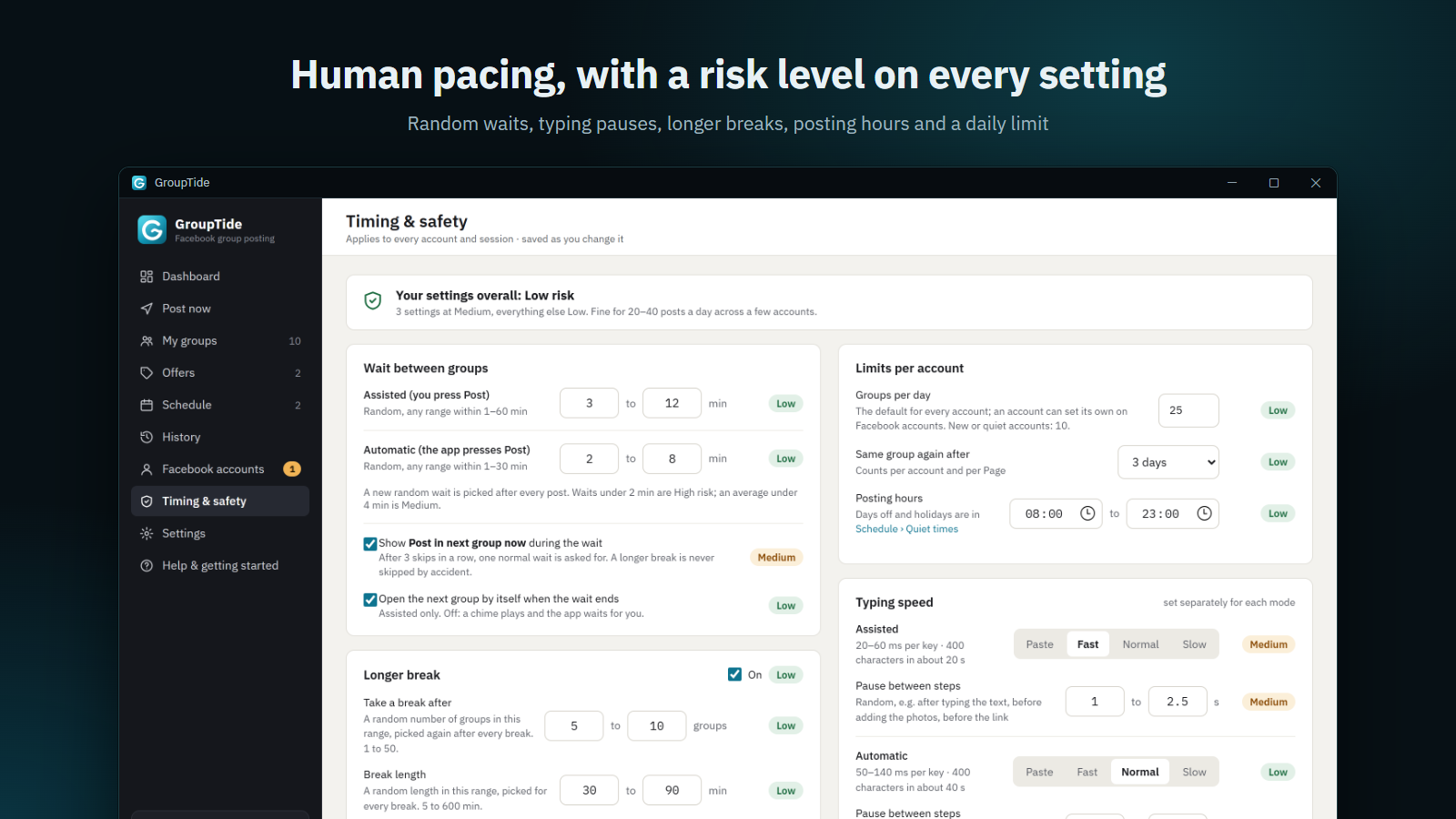
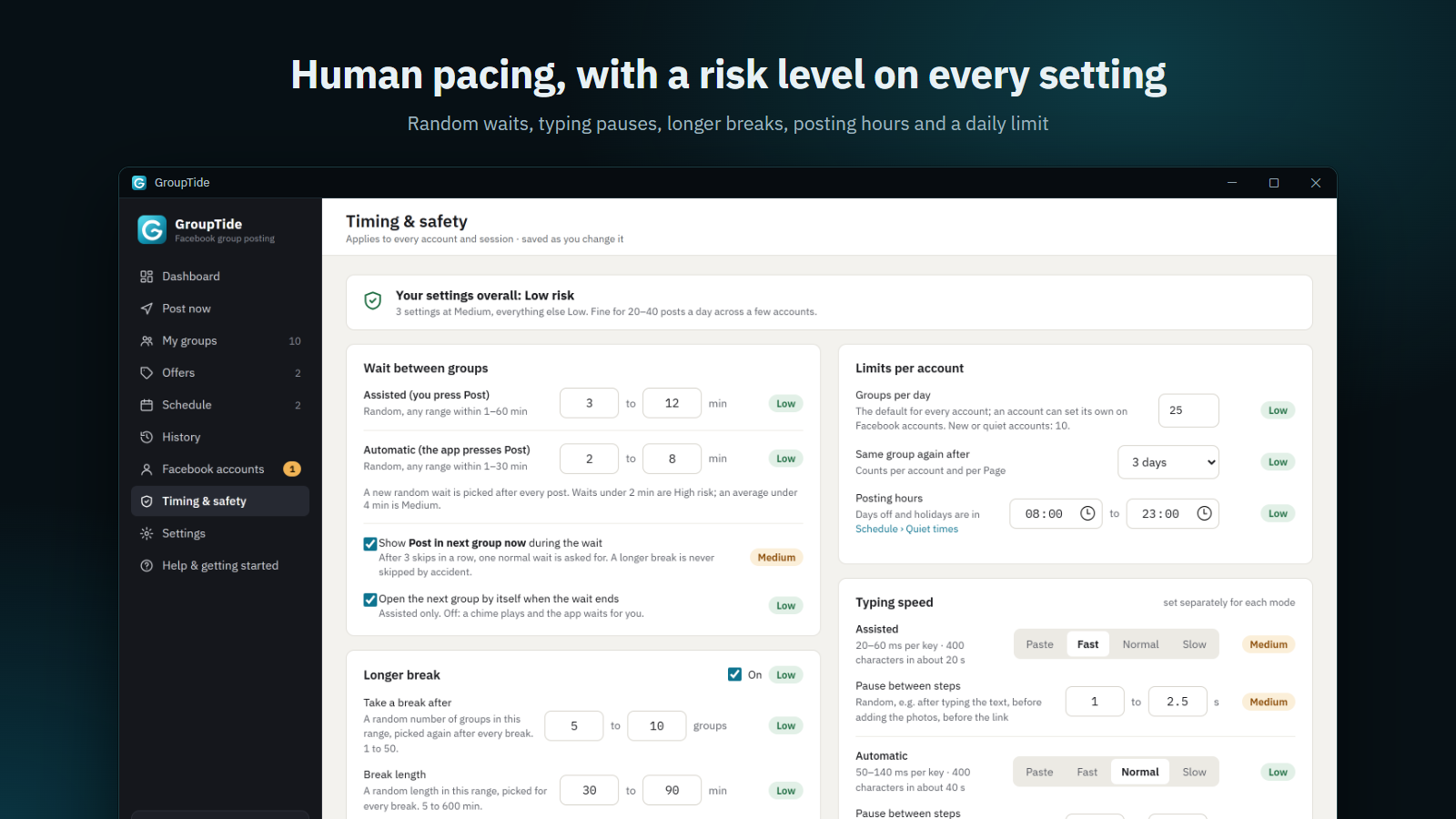
Human pacing, with a risk level on every setting
Every option shows Low, Medium or High risk next to it, and an overall verdict tells you if your settings are safe for the number of posts you plan.
- Random wait between groups, picked fresh after every post
- Longer breaks after a random number of groups
- Typing speed and random pauses between steps
- Daily limit, posting hours and quiet times
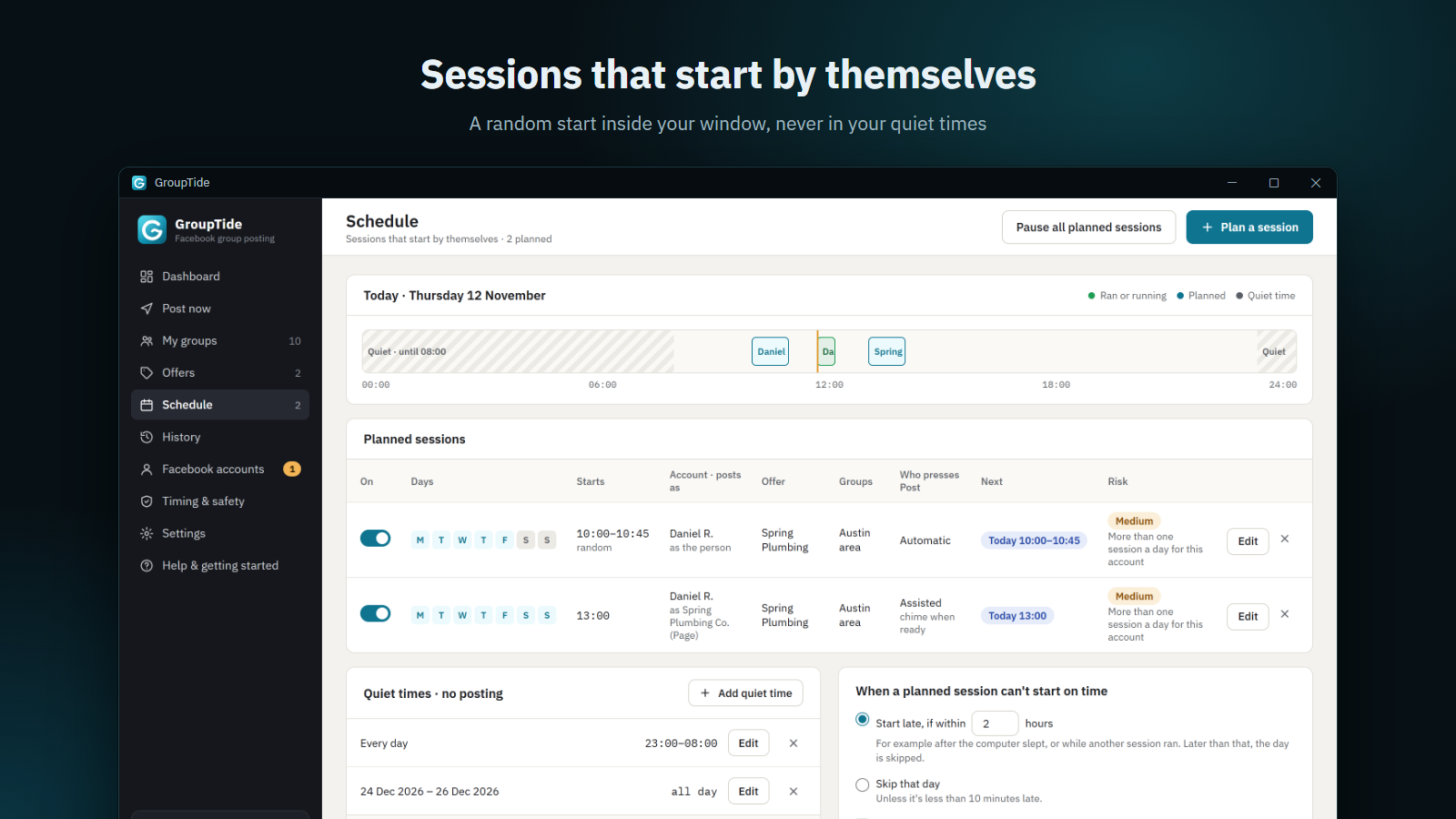
Sessions that start by themselves
Plan a session for the weekdays you choose. It starts at a random time inside your window, from an account or one of its Pages, with the offer and group list you picked.
- Never posts in your quiet times or holidays
- Missed the time? Start late within a few hours, or skip the day
- Sessions for different accounts wait their turn
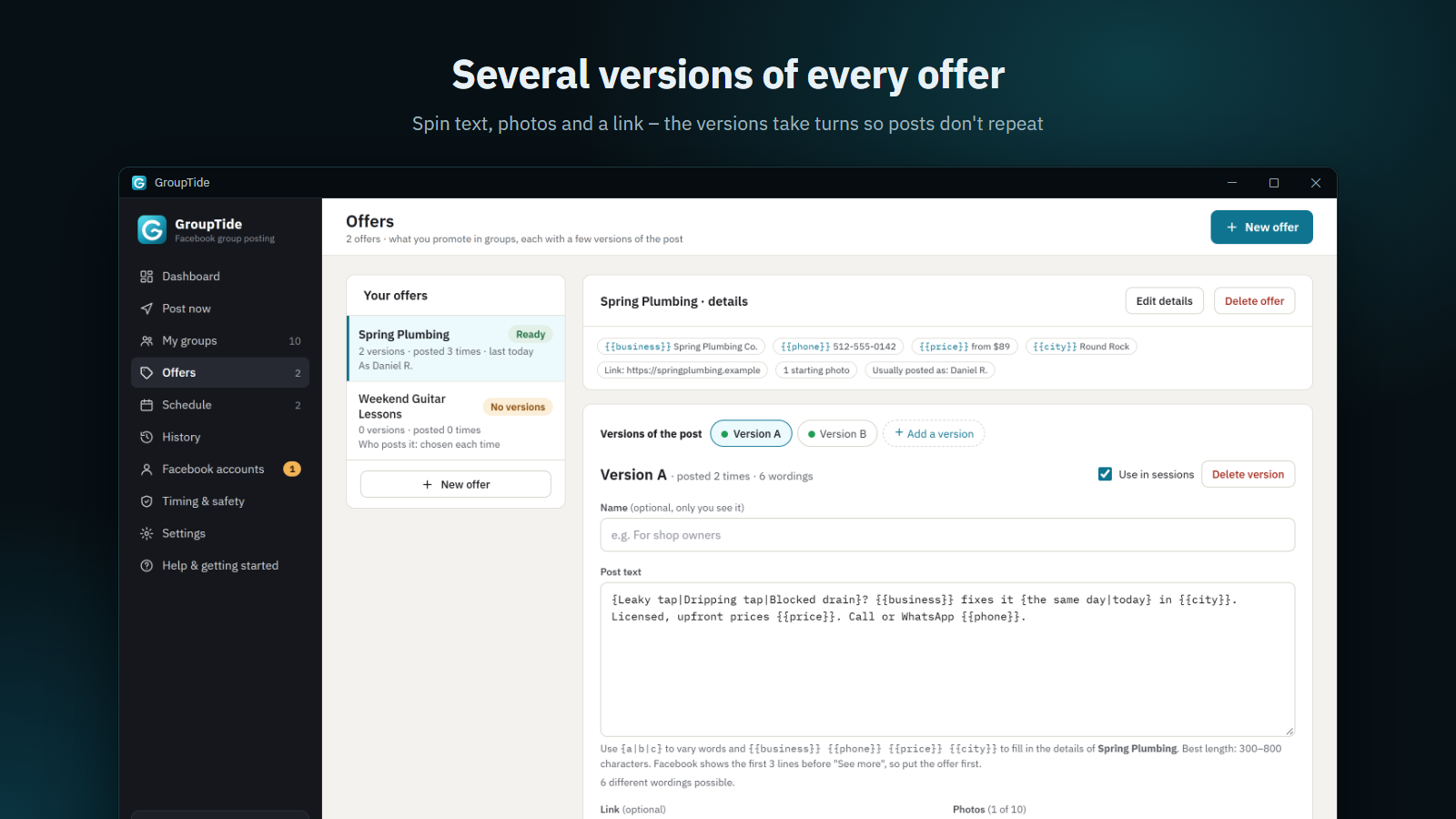
Write once, post in several words
Add text, photos and a link, then a few reworded versions. GroupTide takes turns between them, so the same post never repeats word for word.
- Several offers, each with its own versions
- Photos and links added for you
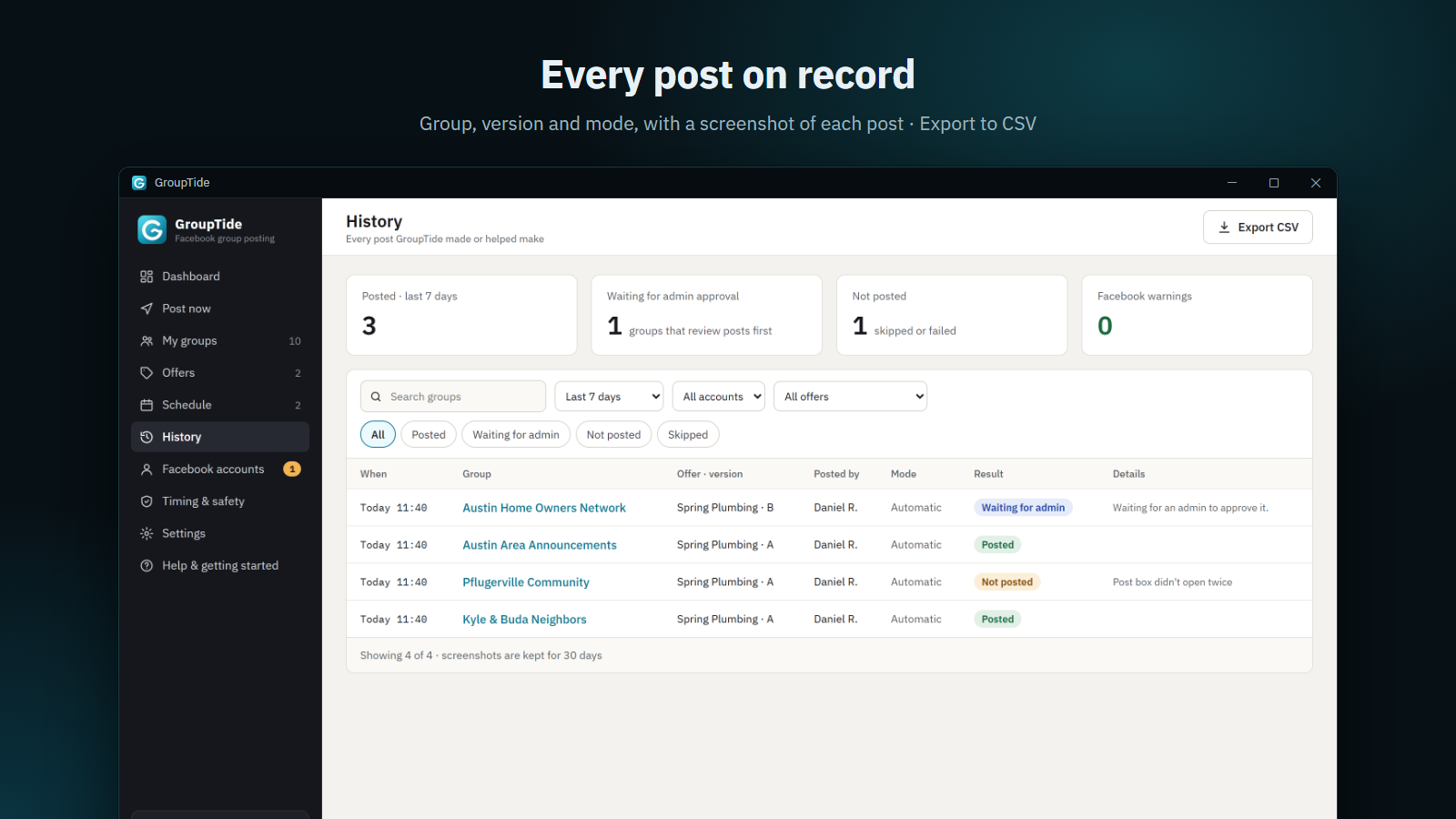
Every post on record, with a screenshot
See where each offer went, whether it posted, is waiting for an admin or was skipped – and why.
- A screenshot after every post
- Filters and CSV export
Everything included
All features, one price
Several Facebook accounts
Each in its own Edge profile, with its own Pages, groups and daily limit.
Groups read for you
Your groups and Pages are read from Facebook. Post as yourself or as a Page.
Daily limit per account
The session stops for the day when an account reaches its limit.
Same-group cooldown
Won't post in the same group again for a number of days, per account and per Page.
Posting hours & quiet times
Set the hours you post in, plus weekly quiet times and holiday dates.
Skips problem groups
A group that won't take the post is skipped and marked with the reason.
Runs in the tray
Starts with Windows, keeps the computer awake during a session, and sends Windows notifications.
Backups & free updates
Your data is backed up locally; new versions install in one click.
Start posting to your groups today
Lifetime license · free updates · 30-day refund policy
Questions
Do I need to give GroupTide my Facebook password?
No. You sign in on Facebook's own page in Microsoft Edge; GroupTide never sees or stores your password.
Can I use more than one Facebook account?
Yes. Add as many accounts as you like; each keeps its own groups and daily limit. One account posts at a time.
Does it post by itself?
In Automatic mode, yes. In Assisted mode it fills in each post and you press Post yourself.
Can my Facebook account get restricted?
Posting too often can be flagged by Facebook. GroupTide paces posts like a person and shows a risk level for every setting, but staying within Facebook's rules is up to you.
How many computers can I use it on?
One license activates one computer. Contact support to move it to a new one.
Explore all our products

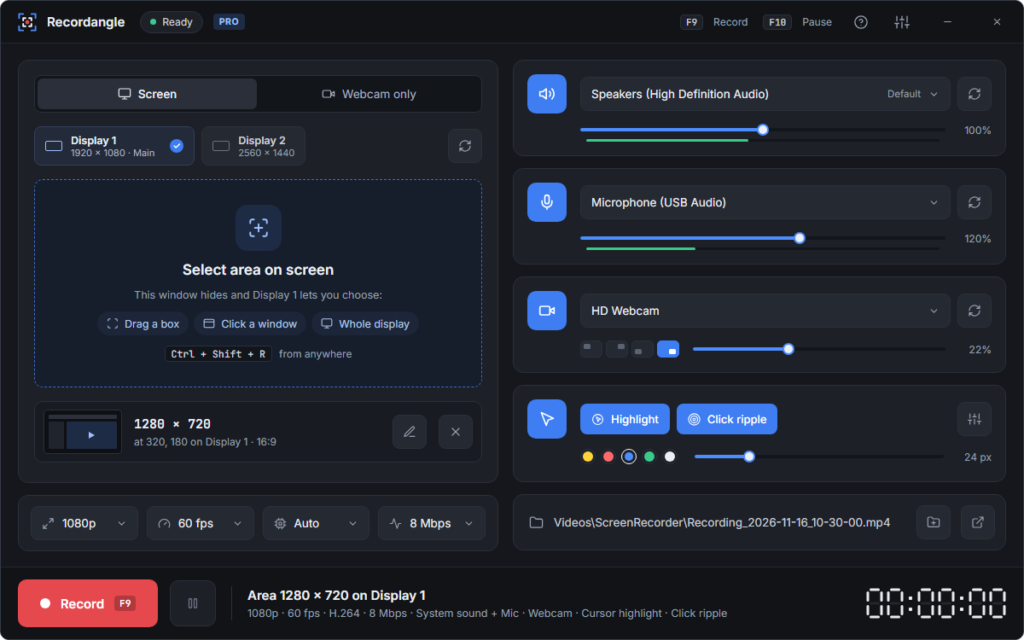
Recordangle – Screen Recorder No Watermark for Windows
License: Pro · Lifetime
+ Free plan available
You're viewingGroupTide – Facebook Group Poster
License: Lifetime
