Recordangle · Screen recorder for Windows
Capture every angle.
Record any area of your screen with system sound, your microphone and your webcam – saved straight to MP4, with sound and picture in sync. Free to use: no watermark, no time limit.
Upgrade to Pro for $32 $7
one-time · save 78%
Overview
The screen recorder that stays out of your way
Most recorders make you choose a mode first and fix the sound afterwards. Recordangle works the other way round: you pick the area on your real screen – drag a box, click a window or take the whole display – and press F9. Speaker sound and your microphone are mixed and written against one clock, so your voice never drifts away from the picture, even in an hour-long recording.
Your first recording in three steps
-
1Pick the areaPress Ctrl + Shift + R from any app. Drag a box, click a window to snap to it exactly, or press Space for the whole display. Adjust it to the pixel, or lock it to 16:9, 4:3, 1:1 or 9:16.
-
2Choose what to hear and seeSystem sound, microphone and webcam each have one switch and a live level meter, so you know they work before you start.
-
3Press F9Recordangle records straight to MP4. F10 pauses, F9 again stops – then play the file or open its folder from the summary.
Inside Recordangle
Everything a recording needs. Nothing it doesn't.
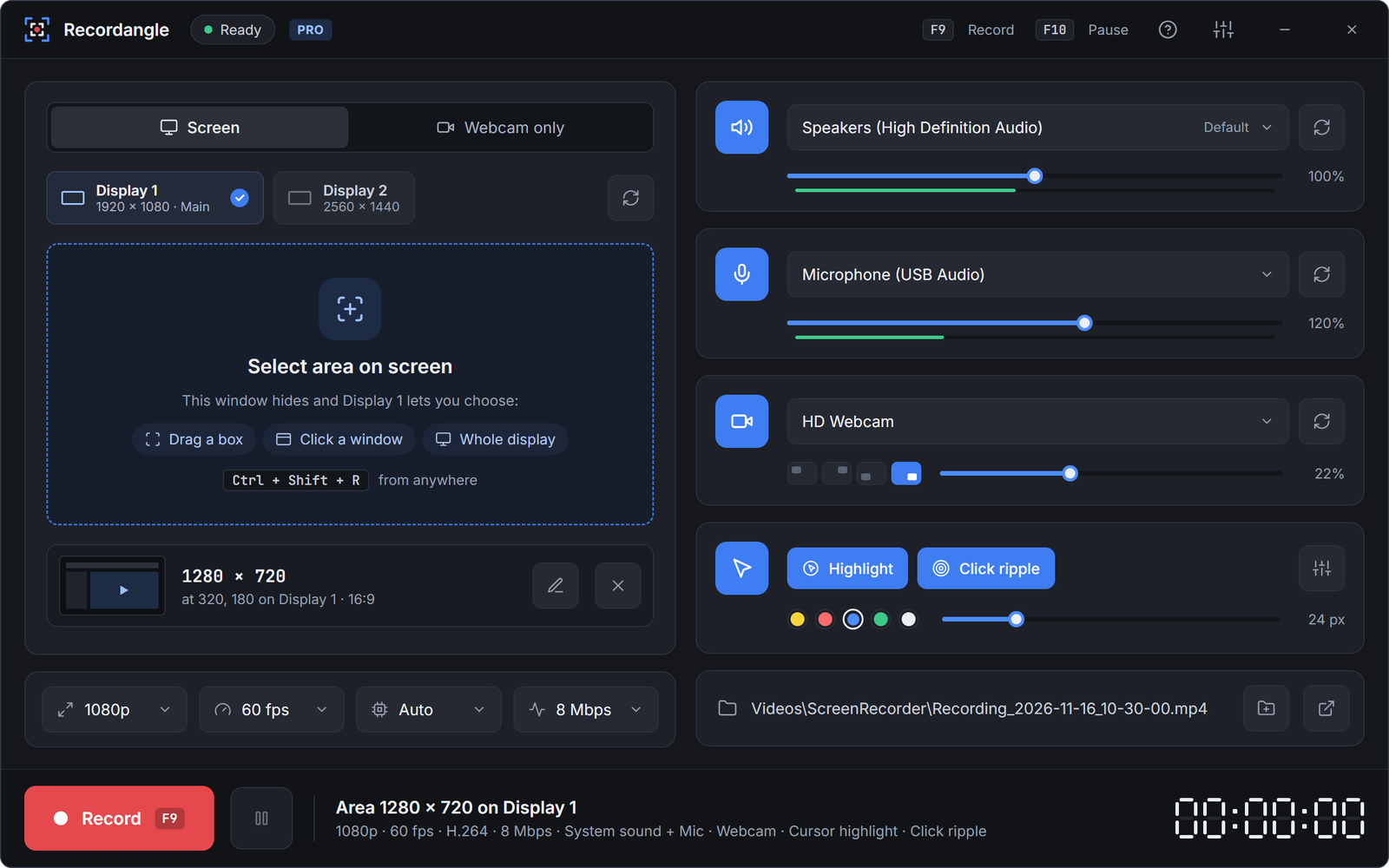
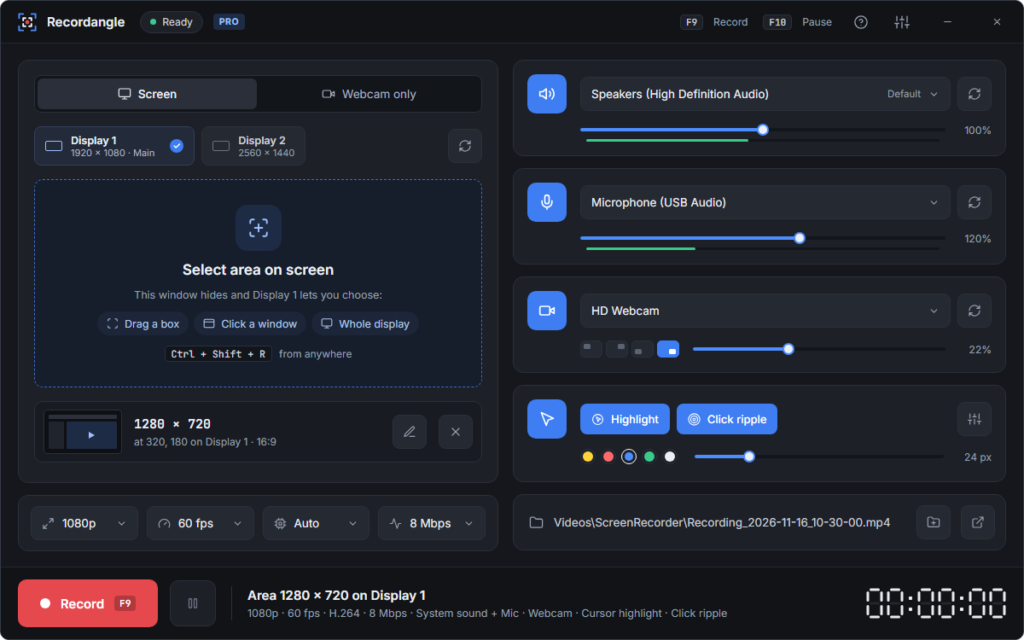
One window, no menus to dig through: everything you need for a recording is on one screen.
Pick the area on your real screen, not in a menu
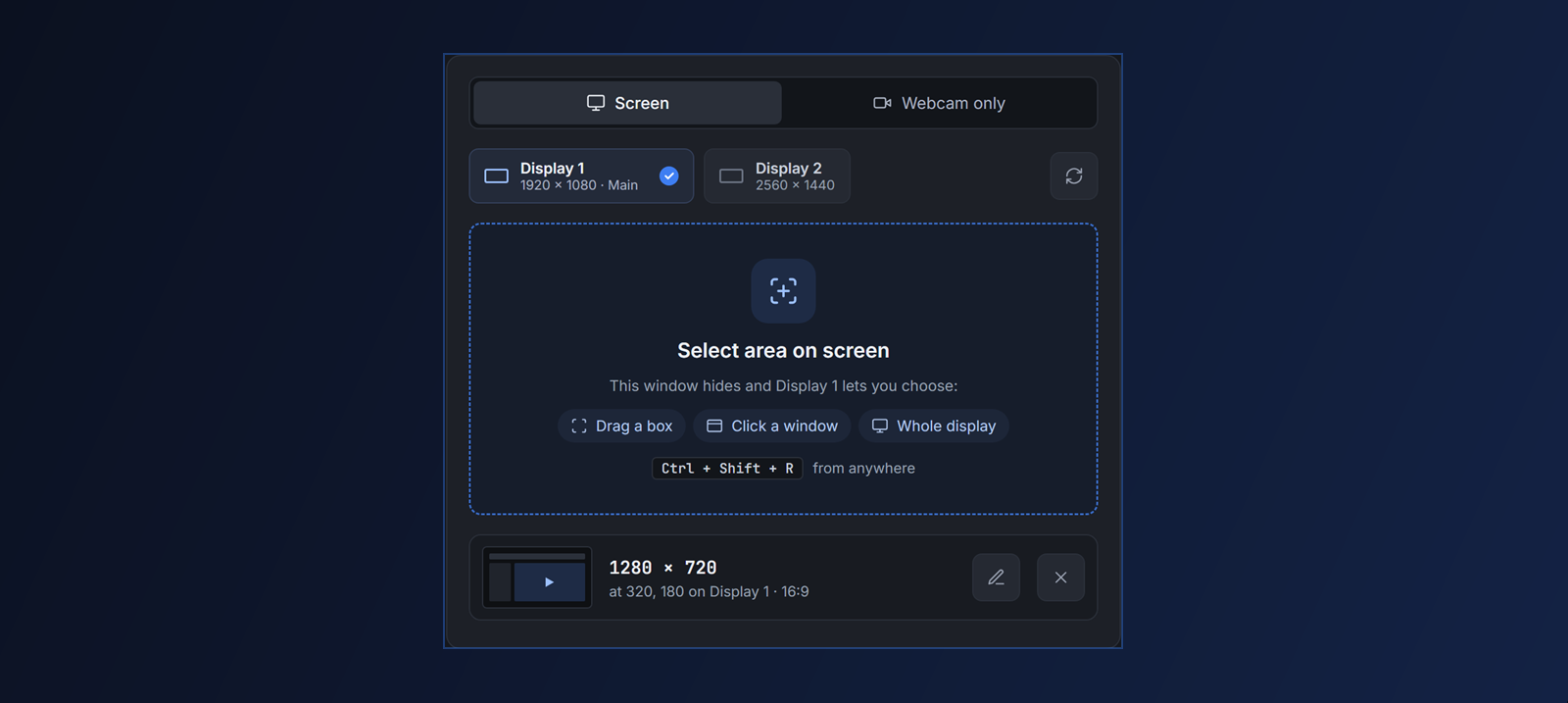
There are no separate full-screen, window and region modes to choose between. The area overlay covers all of them, and it stays adjustable until you press Start.
- Drag a box, click a window to snap to it, or take the whole display
- Move it, resize it by its edges, or type an exact size
- Lock 16:9, 4:3, 1:1 or 9:16 for YouTube, Shorts and Reels
- The overlay and the timer never show up in your video
System sound and your voice, in sync from first second to last
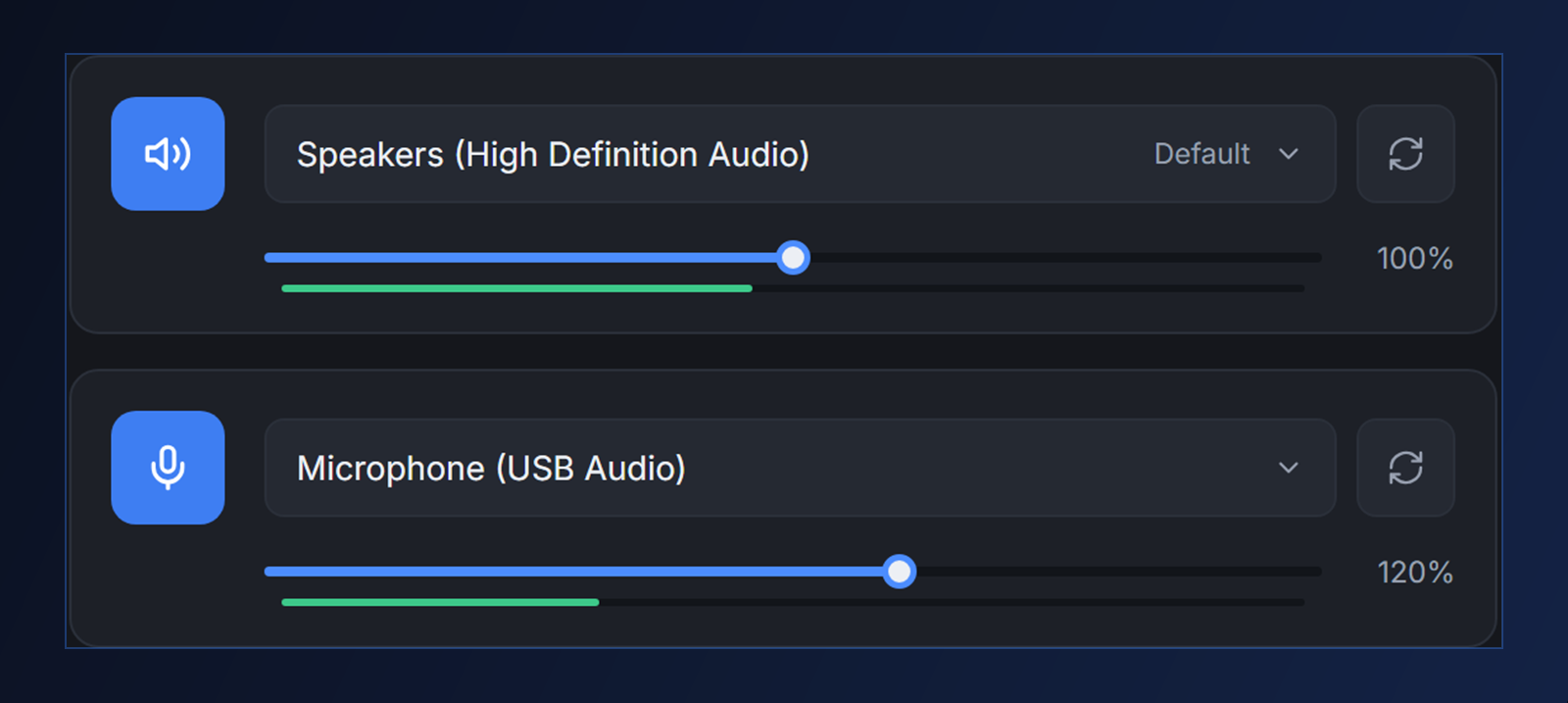
Recordangle records what your speakers play and what your microphone hears, mixes them into one track and writes sound and picture against a single master clock. No drift after ten minutes, and nothing to fix in an editor.
- Separate volume for speakers and mic, with live meters
- Any playback device or microphone; plug one in later and refresh
- Leaves your Windows volume exactly as it was
Put your face and your pointer where viewers look
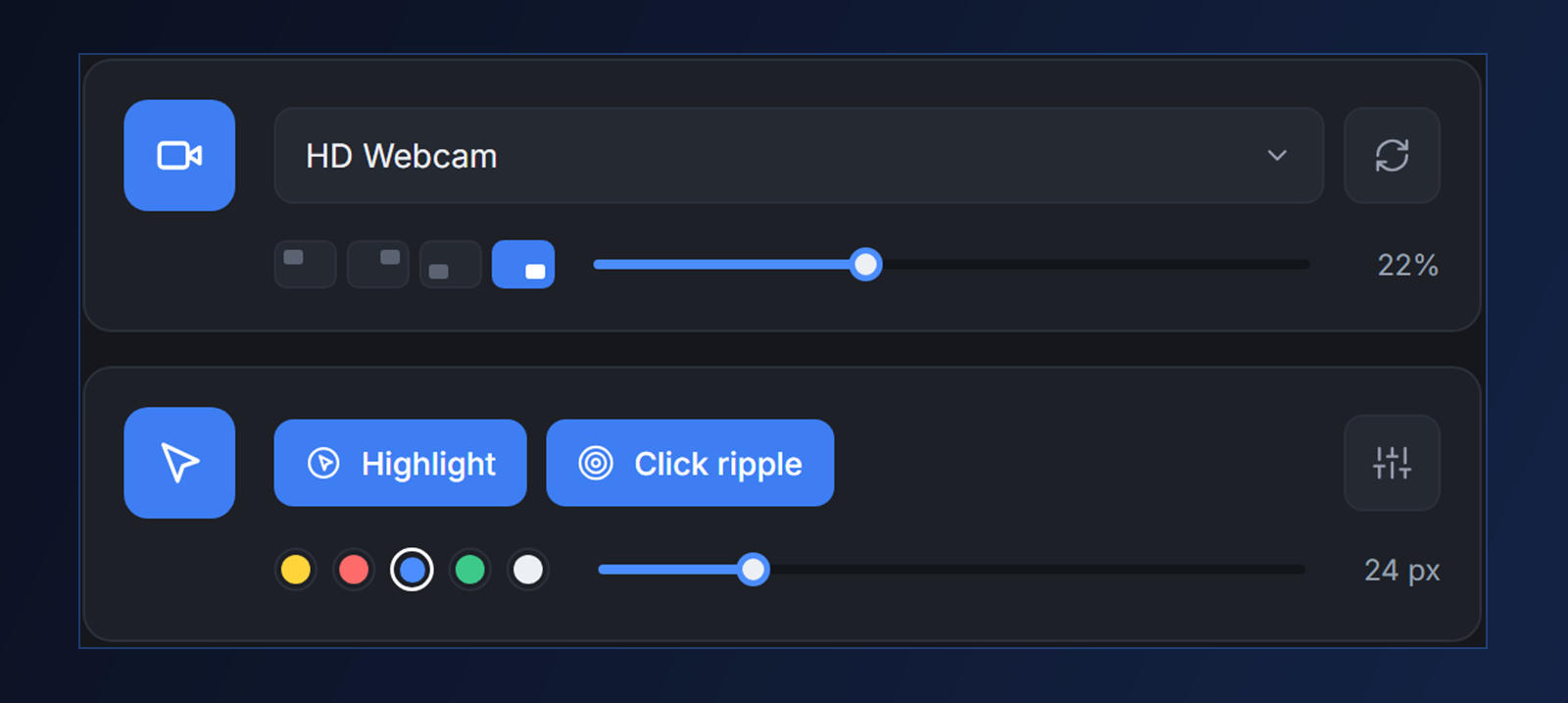
Add your webcam as picture-in-picture: pin it to a corner or drag it anywhere on the area. With Pro, a soft highlight follows your pointer and every click sends a ripple, so viewers never lose the mouse.
- Webcam overlay on every plan, at any size
- Cursor highlight: filled or ring, any colour, 16–128 px (Pro)
- A ripple on every click (Pro)
- Webcam only: the camera full frame, with mirror and live preview (Pro)
Smooth 60 fps MP4 that plays everywhere
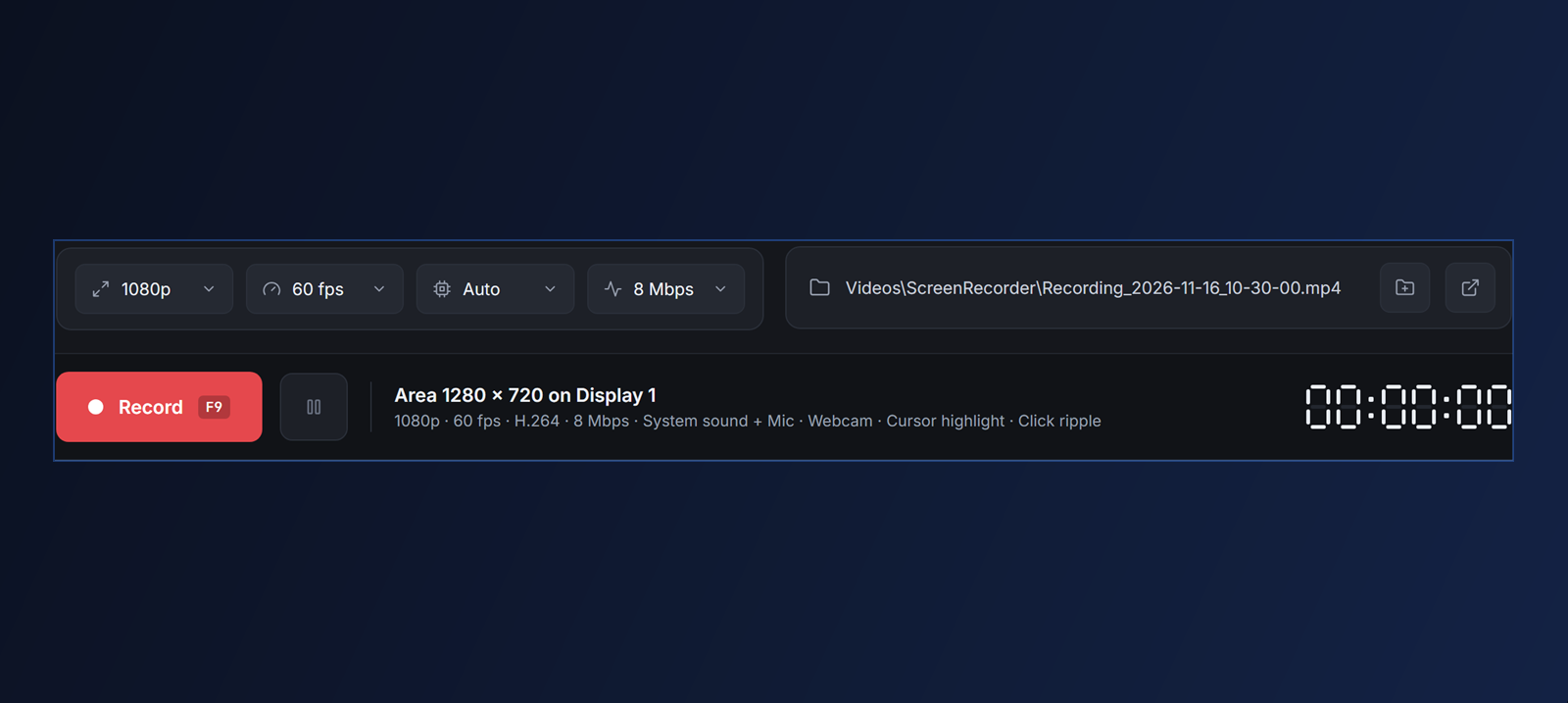
Every recording is H.264 video with AAC sound in a standard MP4 – ready to upload, share or edit. Recordangle uses your graphics card's encoder (NVIDIA, Intel or AMD) when it has one, checks that it really works first, and falls back to software when it doesn't.
- 30 or 60 fps, 4–40 Mbps
- 720p on Free; Full HD 1080p and Native with Pro
- Memory use stays flat, however long you record
- Global hotkeys: F9 record/stop, F10 pause – change them to anything
Everything included
Small app. Every detail handled.
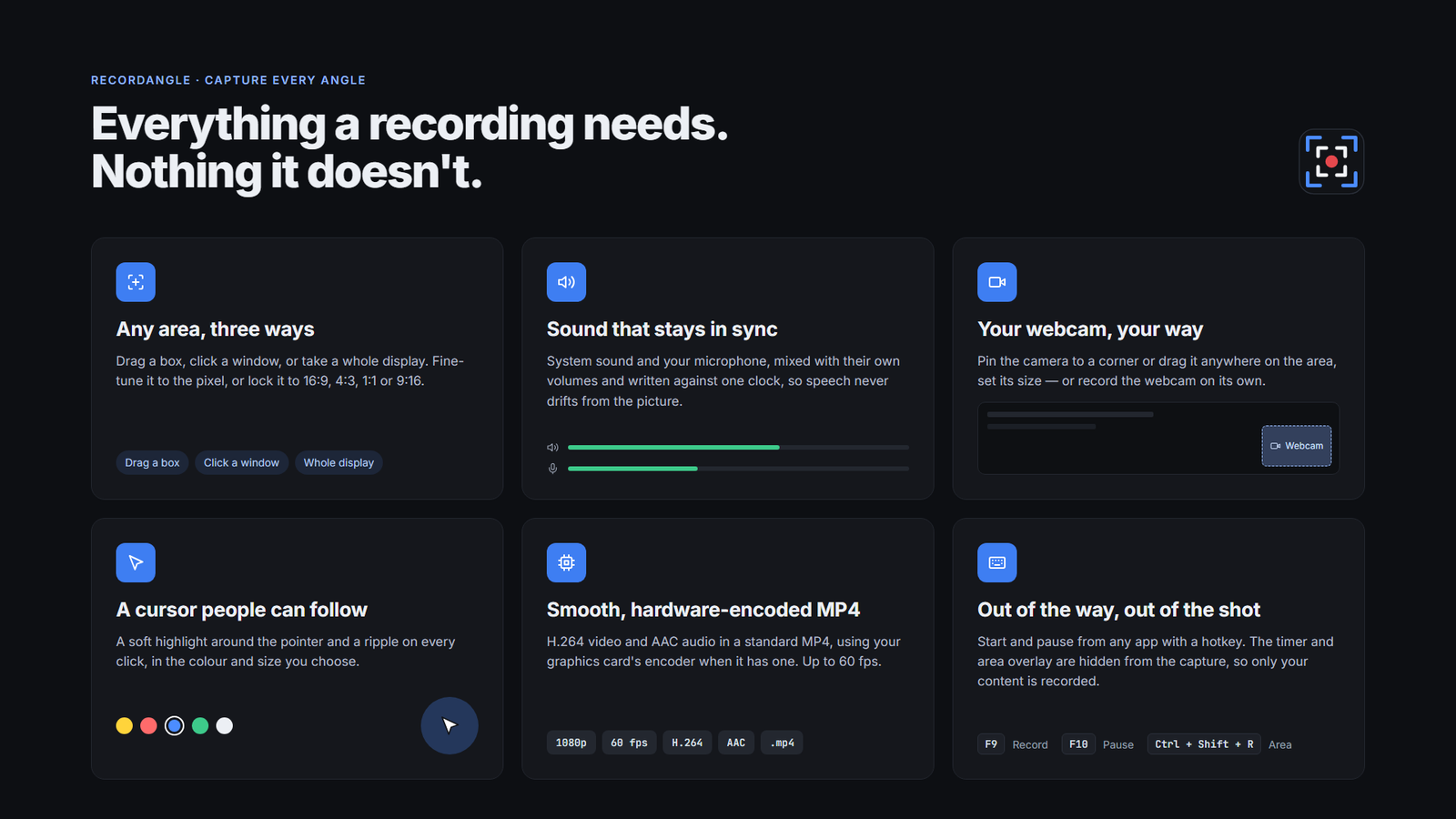
Any area, three ways
Drag a box, click a window or take a whole display – on any of your screens.
System sound + mic
Mixed into one track, each with its own volume and live meter.
Webcam overlay
Pin it to a corner, set its size, or drag it on the area.
Cursor highlight & ripple
In the colour, size and style you choose. Pro
Hardware encoding
NVENC, Quick Sync or AMF – verified before use, software otherwise.
Global hotkeys
Record, pause and select an area from any app. All rebindable.
Floating timer
Shows the time while you record and never appears in the video.
Free updates
Checked quietly at start-up, installed in one click – never during a recording.
Pricing
Start free. Upgrade when you need HD.
The free plan is not a trial: no watermark, no time limit. Pro adds Full HD and the tools that make tutorials easy to follow – one payment, yours for life.
Free
Everything you need to record and share.
- ✓Record any area, window or whole display
- ✓System sound + microphone, in sync
- ✓Webcam overlay (picture-in-picture)
- ✓720p at up to 60 fps, H.264 MP4
- ✓Hardware encoding and global hotkeys
- ✓No watermark, no time limit
Windows 10 & 11 · no sign-up
Pro
For tutorials, demos and courses that look professional.
- ✓Everything in Free
- ✓Full HD 1080p and Native resolution
- ✓Cursor highlight in any colour and size
- ✓Click ripple on every click
- ✓Webcam-only recording with mirror
- ✓Lifetime license and free updates
Key emailed instantly · 30-day refund policy
Free vs Pro, side by side
| Feature | Free | Pro |
|---|---|---|
| Record any area, window or whole display | ||
| System sound + microphone, kept in sync | ||
| Webcam overlay (picture-in-picture) | ||
| Frame rate | Up to 60 fps | Up to 60 fps |
| Resolution | 720p | 1080p and Native |
| Cursor highlight | — | |
| Click ripple | — | |
| Webcam-only recording | — | |
| Hardware encoding (NVIDIA, Intel, AMD) | ||
| Global hotkeys | ||
| Watermark | None | None |
| Time limit | None | None |
| Free updates | ||
| Price | Free | One-time payment |
FAQ
Questions before you start
Is Recordangle free?
Yes. The free plan records any area of your screen up to 720p, with system sound, microphone and webcam overlay, with no watermark and no time limit. Pro adds 1080p and native resolution, cursor highlight, click ripple and webcam-only recording.
What format are recordings saved in?
Standard MP4 files with H.264 video and AAC audio. They play in any player and upload directly to YouTube, Vimeo and social media.
Can it record system sound and my microphone at the same time?
Yes. Each has its own volume, and both are recorded against one clock so they stay in sync with the picture.
Which versions of Windows are supported?
Windows 11, and Windows 10 version 2004 or later, 64-bit.
Will the recording timer appear in my video?
No. The timer and the area selection overlay are hidden from the capture, so only your content is recorded.
Does it use my graphics card?
Yes, when your PC has an NVIDIA, Intel or AMD hardware encoder, Recordangle uses it automatically. Otherwise it encodes in software.
How do I activate Pro?
Buy a license, then enter your key in Recordangle under Help › Upgrade to Pro. Reinstalling Windows or the app keeps the activation on the same PC.
Do I need an internet connection?
Only to activate Pro and check for updates. Recording works offline.
Where are my recordings saved?
In a ScreenRecorder folder inside your Videos folder by default. You can choose any other folder.
Can I move my license to a new PC?
Yes. Email support@overrider.io and we will move it for you.
Does uninstalling delete my recordings?
No. Uninstalling keeps your recordings and your settings.
Record your first video in under a minute
Free forever · no watermark · Pro is a one-time payment with a 30-day refund policy
Explore all our products

 You're viewing
Recordangle – Screen Recorder No Watermark for Windows
License: Pro · Lifetime
+ Free plan available