
Device profiles and fingerprints
OverRider stores 100,000 device profiles locally, each describing a real device with over 60 attributes such as user agent, screen size, platform, fonts and graphics hardware. One profile is applied per visit. Ten optional fingerprint overrides adjust what browser APIs report on top of that.
What a device profile is
A device profile is a coherent description of one real device. OverRider ships a local database of 100,000 of them, and applies one per visit before any page loads.
Each profile carries more than 60 attributes, including:
| Group | Attributes |
|---|---|
| Identity | User agent, browser name and version, operating system and version, device type |
| Request headers | Accept, Accept-Language, Accept-Encoding, all Sec-CH-UA client hints, referrer policy, DNT |
| Display | Screen width and height, available area, colour depth, pixel ratio, viewport size |
| Hardware | Platform, CPU core count, device memory, maximum touch points |
| Graphics | WebGL vendor and renderer strings, WebGL version, canvas noise seed |
| Locale | Navigator language and languages list, timezone and offset |
| Other | Installed fonts, plugins, audio sample rate, network connection type, media devices |
The attributes are internally consistent. A macOS profile reports Mac fonts and a Mac WebGL renderer; a mobile profile reports touch support and a phone-sized viewport. This matters because mismatched attributes are exactly what fingerprinting scripts look for.
The profile database is generated on your machine the first time OverRider launches, so the very first start takes longer than later ones.
Filtering which profiles are used
By default OverRider draws from all 100,000 profiles. The Device Profiles panel lets you narrow that pool by device type, operating system and browser. A live counter shows how many profiles match your current filters.
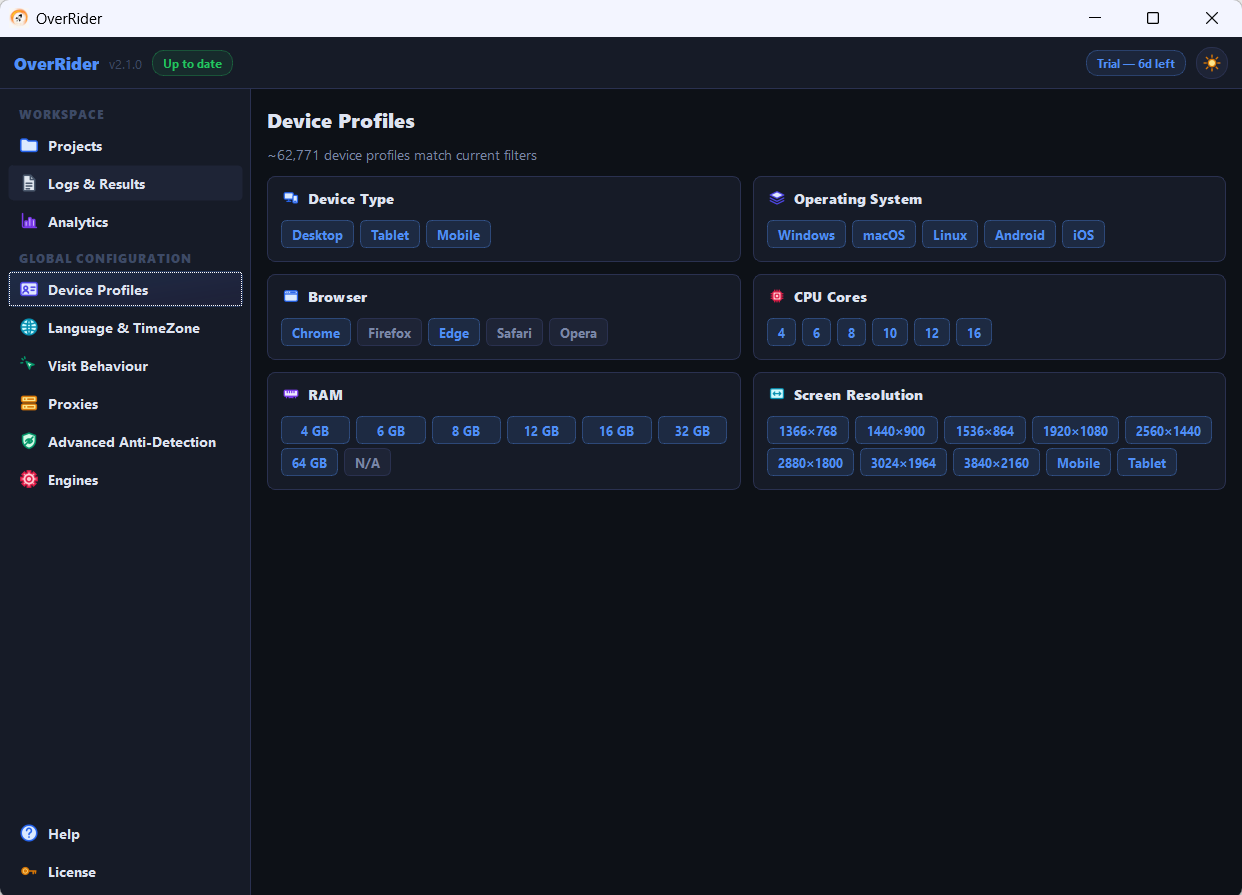
Filtering too narrowly reduces variety. If only a handful of profiles match, the same fingerprints repeat across visits, which is more detectable than a broad mix, not less. Keep the matching count in the thousands where you can.
Fingerprint overrides
On top of the profile, ten optional toggles change what specific browser APIs report. Each one is injected as a script that runs before any page script.
| Override | What it affects |
|---|---|
| WebGL | Reports the profile’s graphics vendor and renderer strings |
| Canvas noise | Adds tiny per-profile variation to canvas output so the canvas hash differs between visits |
| WebRTC | Prevents WebRTC from revealing your real local and public IP addresses |
| Audio | Varies the audio context fingerprint |
| Battery | Reports plausible battery level and charging state |
| Permissions | Makes the Permissions API respond the way a normal browser does |
| Plugins | Reports the profile’s plugin and MIME type list |
| Timezone DST | Applies correct daylight saving behaviour for the profile’s timezone |
| Per-OS fonts | Reports the font set that matches the profile’s operating system |
| navigator.connection | Reports the profile’s network type, downlink speed and round-trip time |
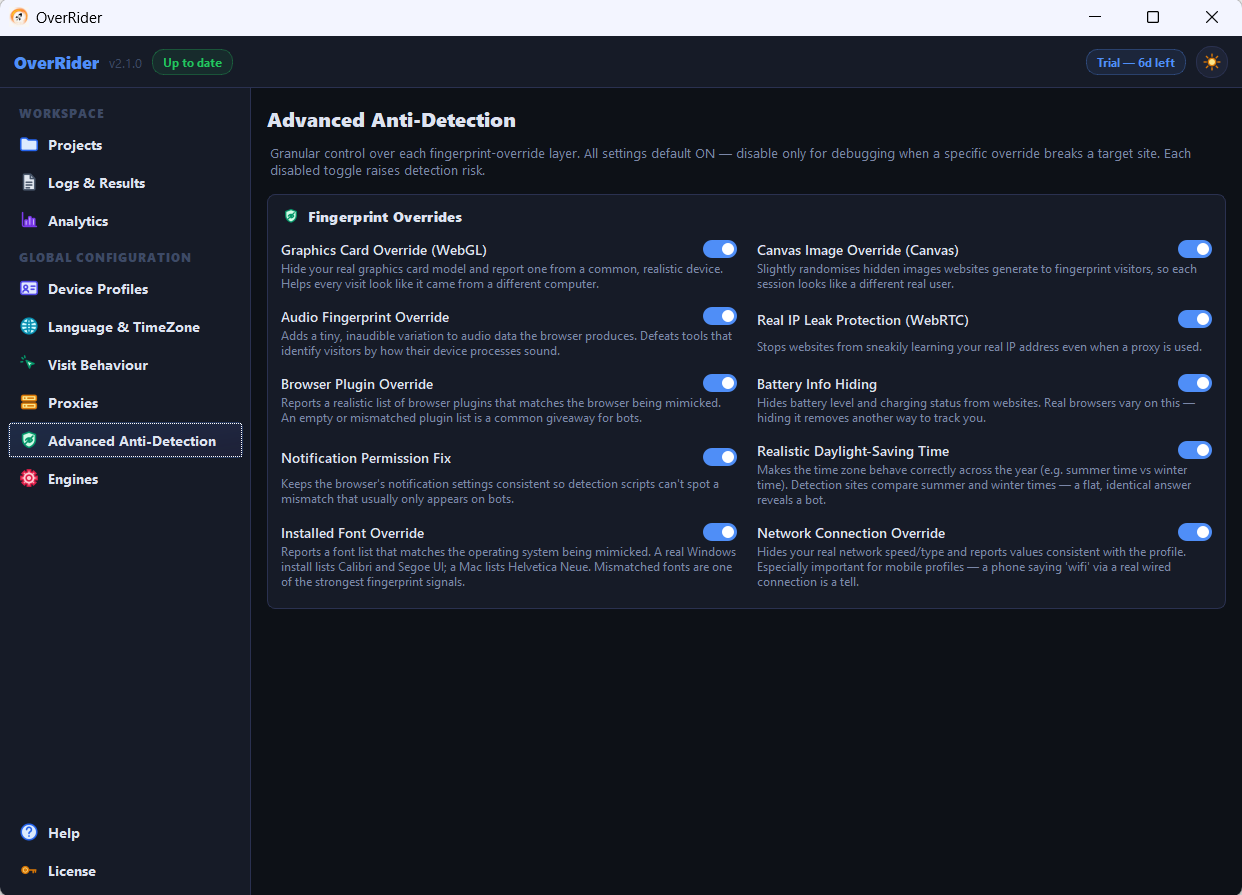
WebRTC deserves special attention. With it disabled, a page can use WebRTC to read your real IP address even when the visit is routed through a proxy. If you are using proxies, leave WebRTC enabled.
Always applied
Two protections are not optional and are applied on every visit regardless of your settings:
- The
navigator.webdriverflag is masked. Browsers under automation normally expose this flag, and analytics platforms — Google Analytics included — use it to filter out automated traffic. - The
window.chromeobject is restored. Headless browsers omit it, and its absence is a well-known automation signal.
What fingerprint spoofing does not do
Fingerprint overrides change what the browser reports. They do not change where the request comes from. Your IP address is determined entirely by your connection or your proxy, and it is the strongest signal any site has.
Setting a profile with a Japanese timezone while connecting from a German IP address is a contradiction, and a contradiction is more suspicious than either value alone. If you want the two to agree, use the geo-matching option that derives language and timezone from the proxy’s actual exit country.
Last updated: