
License activation failed
Most activation failures are a copy-paste problem, a firewall blocking overrider.io, or a key already bound to a different computer. Licenses bind to a device identifier derived from your hardware, so a new machine or major hardware change needs a reset from support.
Match the message
| Message | Cause | Fix |
|---|---|---|
| Invalid license key | Typo, or whitespace picked up when copying | Retype it, or copy without surrounding spaces |
| Already activated on another device | The key is bound elsewhere | Request a reset from support |
| Could not reach the server | Firewall, VPN or corporate proxy blocking overrider.io | Allow it, or activate from another network |
| Trial already used | A trial has already run on this computer | Trials cannot be restarted; purchase a license |
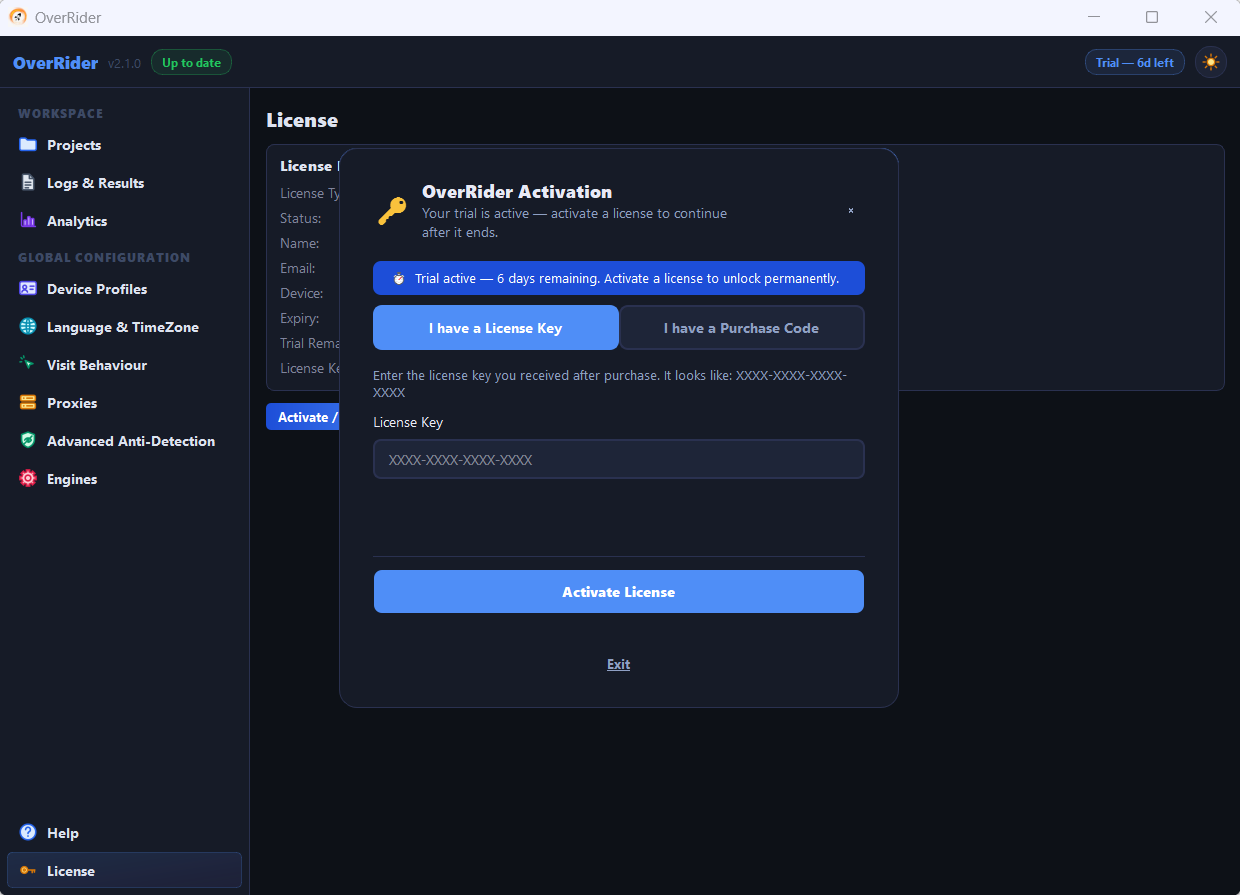
“Invalid license key”
Nearly always a copy-paste issue. Check that you have:
- No leading or trailing spaces — email clients often add them.
- The whole key, with nothing truncated.
- The right kind of key. A CodeCanyon purchase code is not the same thing as an overrider.io license key. Use the option matching where you bought it.
If it still fails, retype it by hand. Invisible characters from a PDF or a formatted email are a common culprit.
“Could not reach the server”
OverRider needs to reach overrider.io once to verify. Anything intercepting that connection will block activation:
- Confirm the machine has internet access — open overrider.io in a browser.
- Allow OverRider through Windows Firewall.
- Disable any VPN temporarily and retry.
- On a corporate network, ask for
overrider.ioto be allowed, or activate from a home connection.
Activation itself is a one-off. Once it succeeds, license checks keep passing on that machine even when it cannot reach our server afterwards — but traffic generation always needs its own live internet connection, separately from that.
“Already activated on another device”
Licenses bind to a device identifier derived from your hardware. This message means the key is registered to a different machine.
You will also see it on the same machine after:
- A Windows reinstall
- A motherboard, CPU or disk replacement
- Some large Windows feature updates
Email support@overrider.io with your license key and ask for a device reset.
Internet requirements after activation
OverRider always needs an internet connection to generate traffic. What does not need to happen every time is re-verifying your license online: once verification has succeeded at least once on a machine, that machine keeps passing license checks even if it later cannot reach our server, with no time limit on that. Traffic generation itself still needs a live connection.
If OverRider asks you to activate again on a machine that was previously working, treat it as a device-identity change — see the hardware changes above — not as an internet problem.
Checking your status
Open the License section of Settings to see the current state, the activated key and the device it is bound to. Include that information when contacting support — it makes the reset much quicker.
What to send support
- Your license key or CodeCanyon purchase code
- The exact error message
- Whether the machine is new, or was rebuilt or upgraded
Last updated: