
How OverRider generates traffic
For every visit OverRider launches a fresh real browser process, gives it one of 100,000 device profiles, optionally loads a referrer page first, then navigates to your target URL. It scrolls, moves the mouse and can click links for a randomised stay time, then closes the browser entirely. Nothing is cached or reused between visits.
OverRider does not send synthetic HTTP requests or fake analytics events. Every visit is a genuine browser session driven by automation. Understanding the sequence explains most of the behaviour you will see in your analytics.
The visit lifecycle
Step 1 — A fresh browser is launched
Each visit starts by launching a brand new browser process. It is not a new tab in an existing browser, and not a reused profile — it is a separate process with an empty cache and an empty cookie jar.
This is the most consequential detail in the whole product. Because every visit starts with no cookies, analytics platforms see a new user every time. OverRider cannot produce returning visitors. See How OverRider traffic appears in Google Analytics.
Step 2 — A device profile is applied
One of 100,000 stored device profiles is selected and applied to the browser before any page loads. The profile sets the user agent, screen and viewport size, platform, hardware concurrency, device memory, language, timezone, fonts and more. Mobile and tablet profiles additionally enable touch emulation.
Your anti-detection toggles are injected at this point too, as scripts that run before any page script on every document. See Device profiles and fingerprints.
Step 3 — The referrer page loads (optional)
If the project has a traffic source configured, the browser first navigates to that page — a search engine results page, a social platform, or a URL you supplied. It waits there for a randomised period (15 to 60 seconds by default) and can scroll and move the mouse while it waits.
This is what makes the visit arrive at your site with a real referrer, which is how analytics platforms assign source and medium.
Step 4 — The target page loads
The browser navigates to one of your target URLs, picked at random. It waits for the page to load, up to the Page Load Wait limit (30 seconds by default).
Step 5 — Human-like behaviour runs
The browser stays on the page for a randomly chosen duration between your Min Stay Time and Max Stay Time (45 to 300 seconds by default). During that time it:
- Scrolls down the page in irregular increments with pauses, rather than jumping to the bottom.
- Moves the mouse along curved paths between points, not in straight lines.
- Pauses on text elements to simulate reading.
Step 6 — Link clicking (optional)
If the visit has enough time left over — controlled by Time Buffer for Clicks, 180 seconds by default — the browser finds links on the page and clicks them. By default it clicks internal links only, up to 2 clicks per visit and 2 levels deep, staying 60 to 180 seconds on each clicked page with a 60 to 120 second gap between clicks.
Each clicked page produces another pageview in your analytics, which is how a visit becomes a multi-page session.
Step 7 — The browser closes
The browser process is closed completely. After a short pause of half a second to two seconds, the next visit begins from step 1 with a completely different device profile, proxy and referrer.
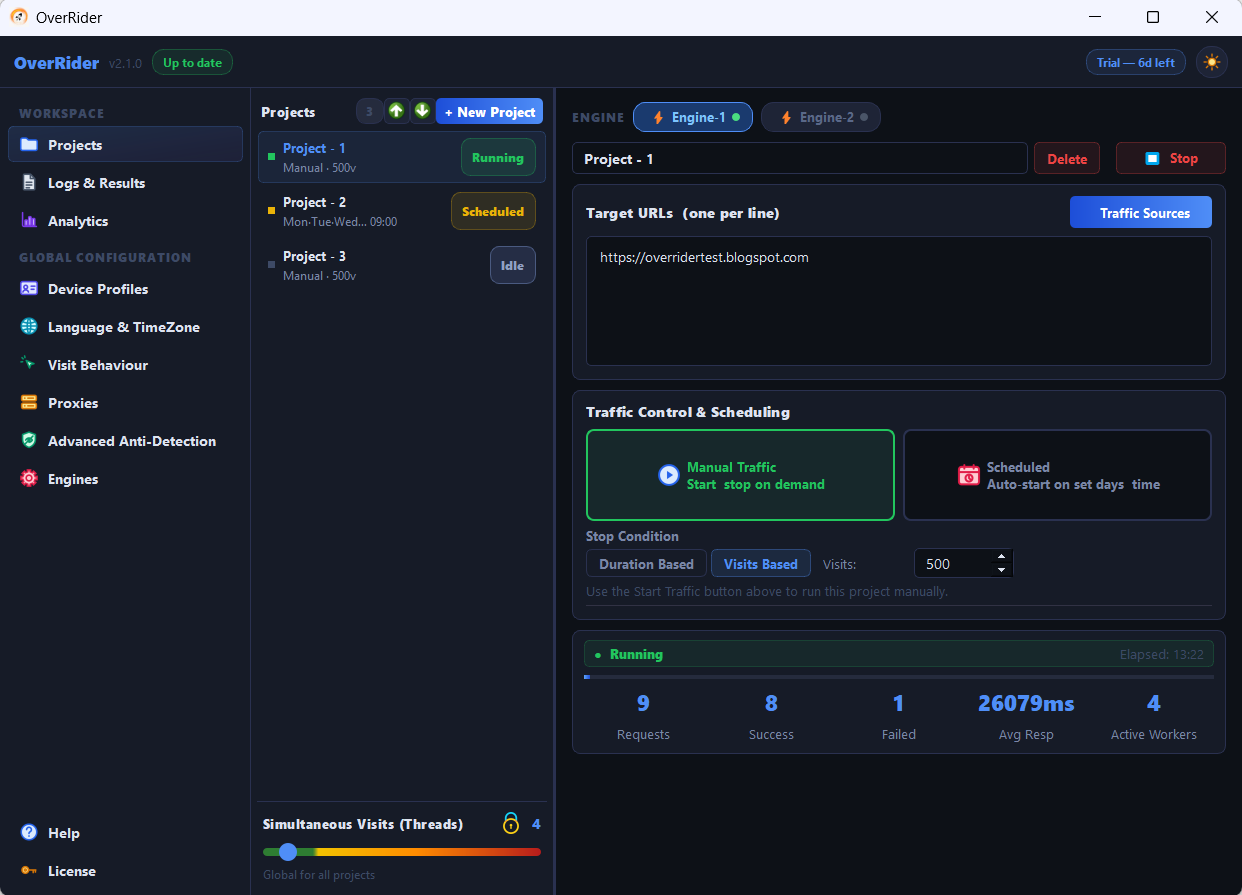
How visits run in parallel
The Simultaneous Visits (Threads) setting controls how many of these lifecycles run at the same time. With 5 threads, five independent browsers are working through the sequence concurrently, each with its own profile and proxy.
Threads are global, not per-project. If two projects run at once, the threads are divided between them.
What gets randomised per visit
| Element | How it is chosen |
|---|---|
| Target URL | Picked at random from your list, independently each visit |
| Referrer | Picked at random from your traffic sources, independently of the URL |
| Proxy | Next in sequence, or random if random rotation is enabled |
| Device profile | Random from the profiles matching your filters |
| Stay time | Random between Min and Max Stay Time |
| Scroll pattern | Generated fresh each visit |
Referrers and URLs are not paired. A keyword and a target URL are selected independently, so any keyword can appear with any URL. There is no way to tie a specific keyword to a specific page.
Where the traffic comes from
The requests originate from your computer, or from whichever proxy the visit is using. There is no cloud service generating traffic on your behalf. If your computer is switched off, no traffic is produced.
Browsers have no visible window
OverRider always runs its browsers in headless mode, meaning no window is drawn on screen. This is not configurable. It keeps memory and CPU use low enough to run many visits in parallel. The browser is otherwise fully functional — JavaScript executes, cookies are set, and analytics scripts fire normally.
Last updated: