
Engine-1 vs Engine-2
Engine-1 runs Google Chrome through Puppeteer in a Node.js process and is the default engine. Engine-2 runs Chromium through Playwright inside OverRider itself. In testing, Engine-1 has performed faster. You can set the engine independently per project.
OverRider ships with two independent browser engines. They produce comparable traffic but differ in what they run underneath.
Side by side
| Engine-1 | Engine-2 | |
|---|---|---|
| Browser | Google Chrome | Chromium |
| Automation library | Puppeteer | Playwright |
| Runs as | A separate Node.js process | Inside OverRider itself |
| Default engine | Yes | No |
Which one should you use?
Engine-1 is the default, and is where we’d suggest starting. In our own testing it has also performed faster than Engine-2 for typical use.
Switch to Engine-2 if a particular site behaves oddly under Engine-1. Chromium and Google Chrome are not identical: Chrome includes proprietary codecs and some Google-specific integrations that Chromium lacks, and a small number of sites detect this difference. Trying the other engine is one of the quickest things to test when a site is failing.
If a site is failing on one engine, run a small project of 10 visits on each and compare the success rate in the Results table. Real-world performance depends on your hardware and network as well as the site itself, so testing both on your own setup is more reliable than any general rule.
Setting the engine
The engine is chosen per project, using the engine pills in the project’s action bar. Two projects can use different engines at the same time.
You cannot change a project’s engine while it is running. Stop the project, change the engine, then start it again.
Installing an engine
An engine must be installed before it can be selected. OverRider installs one automatically on first launch; you can install the other, or reinstall either, from the Engines panel.
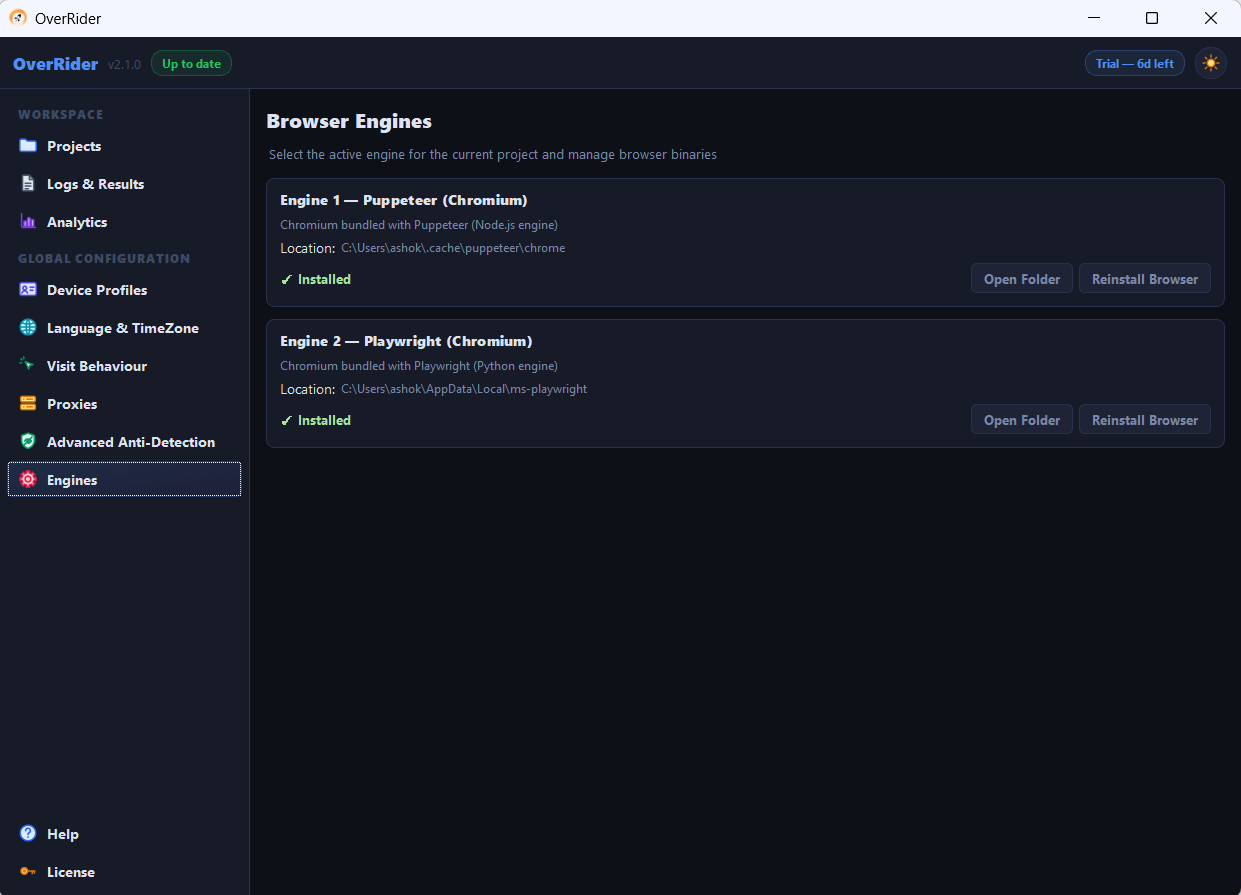
If a project fails immediately with a message about a missing browser executable, the engine it is set to is not installed. Install it, or switch the project to the other engine.
Do the two engines produce different traffic?
Not in any way your analytics will show. Both apply the same device profiles, the same anti-detection settings, the same referrers and the same behaviour timings. The user agent reported to your site comes from the device profile, not from which engine is running.
Last updated: