
Spread visits gradually over several hours
OverRider has no setting that spreads a fixed number of visits across a time window. Instead, use a Duration Based stop condition and control the rate with two settings: fewer threads and longer stay times produce fewer visits per hour. Visits per hour equals threads multiplied by 3600, divided by the average visit length in seconds.
A common request: “I want 1,000 visits spread over 8 hours, not finished in twenty minutes.” Here is how to get there.
Why Visits Based runs faster than you might expect
A Visits Based project stops when it reaches your target count, and until then it runs close to flat out. Each thread pauses only 0.5 to 2 seconds between visits before starting the next one — nowhere near long enough to spread a large target over hours by itself. There is no pacing mechanism and no way to ask for a target count over a chosen period.
So the answer is to stop specifying a count, and control the rate instead.
Use Duration Based, then tune the rate
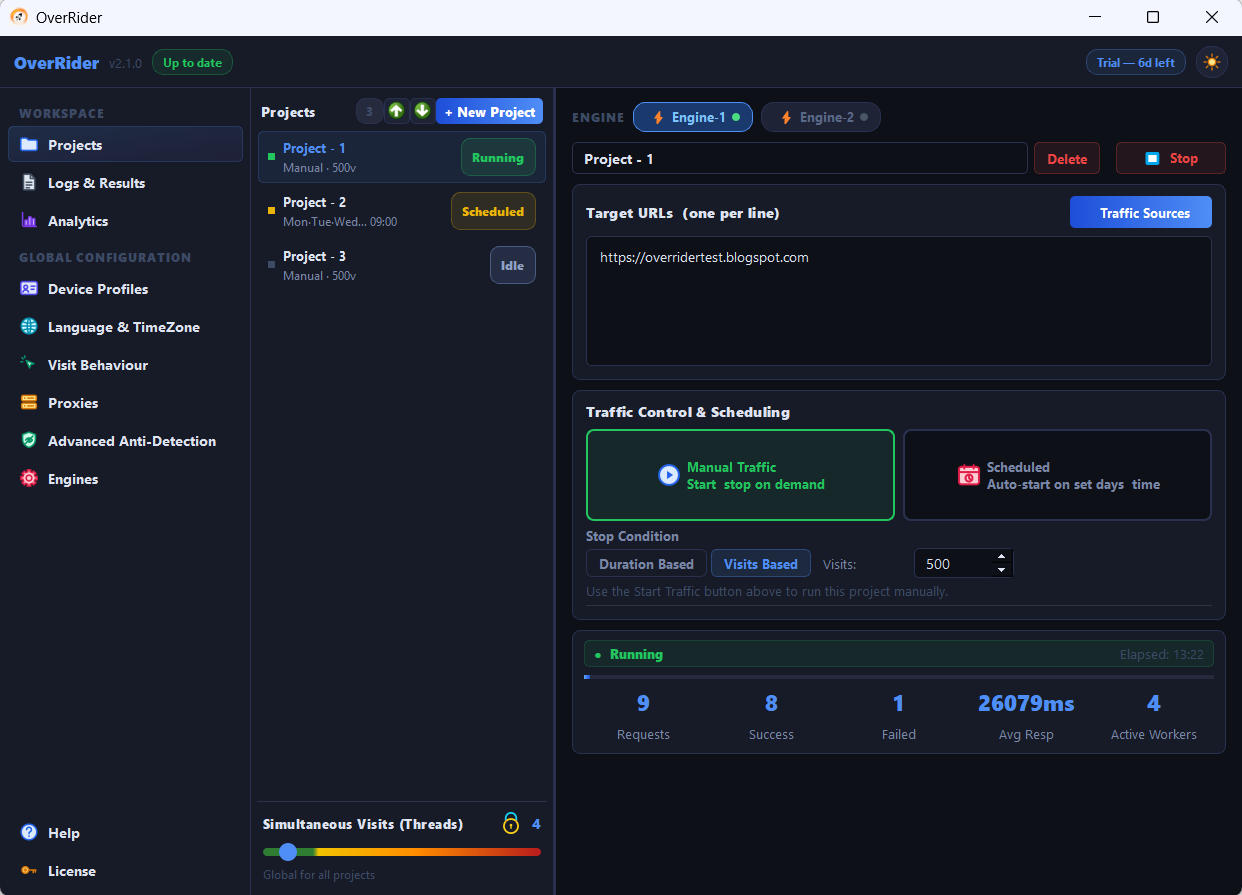
Set the stop condition to Duration Based with your window — for example 08:00 for eight hours. The project now runs for exactly that long. How many visits it produces depends on two settings:
- Simultaneous Visits (Threads) — how many visits run at once.
- Min and Max Stay Time — how long each visit lasts.
The formula
visits per hour = threads × 3600 ÷ average visit length (seconds)Rearranged, to find the stay time you need:
average visit length = threads × 3600 ÷ target visits per hourAverage visit length is roughly the midpoint of Min and Max Stay Time, plus about 10 seconds for page load, plus referrer dwell time if you use traffic sources.
Worked example: 1,000 visits over 8 hours
1,000 ÷ 8 = 125 visits per hour. Applying the formula:
| Threads | Required average visit length | Min / Max Stay Time to set |
|---|---|---|
| 1 | 29 seconds | Not achievable — too short with page load included |
| 2 | 58 seconds | 40 / 75 |
| 3 | 86 seconds | 60 / 110 |
| 4 | 115 seconds | 85 / 145 |
| 5 | 144 seconds | 110 / 175 |
Three threads with stay times of 60 and 110 seconds is a good starting point: the visits are long enough to look engaged, and the load on your machine is light enough to run all day.
Check your rate early
Start the project and watch the Logs panel for fifteen minutes, then multiply by four. If you are running well above or below target, adjust the stay times rather than the thread count — stay time is the finer control.
Link clicking adds substantially to visit length. With clicking enabled, each visit can run several minutes longer than your stay time alone suggests, which lowers your visits per hour. Factor it in, or disable clicking while you calibrate.
Spreading across a day with scheduling
For traffic that appears during business hours rather than continuously, use the Scheduling section instead of one long run. Each project accepts a set of weekdays and one start time.
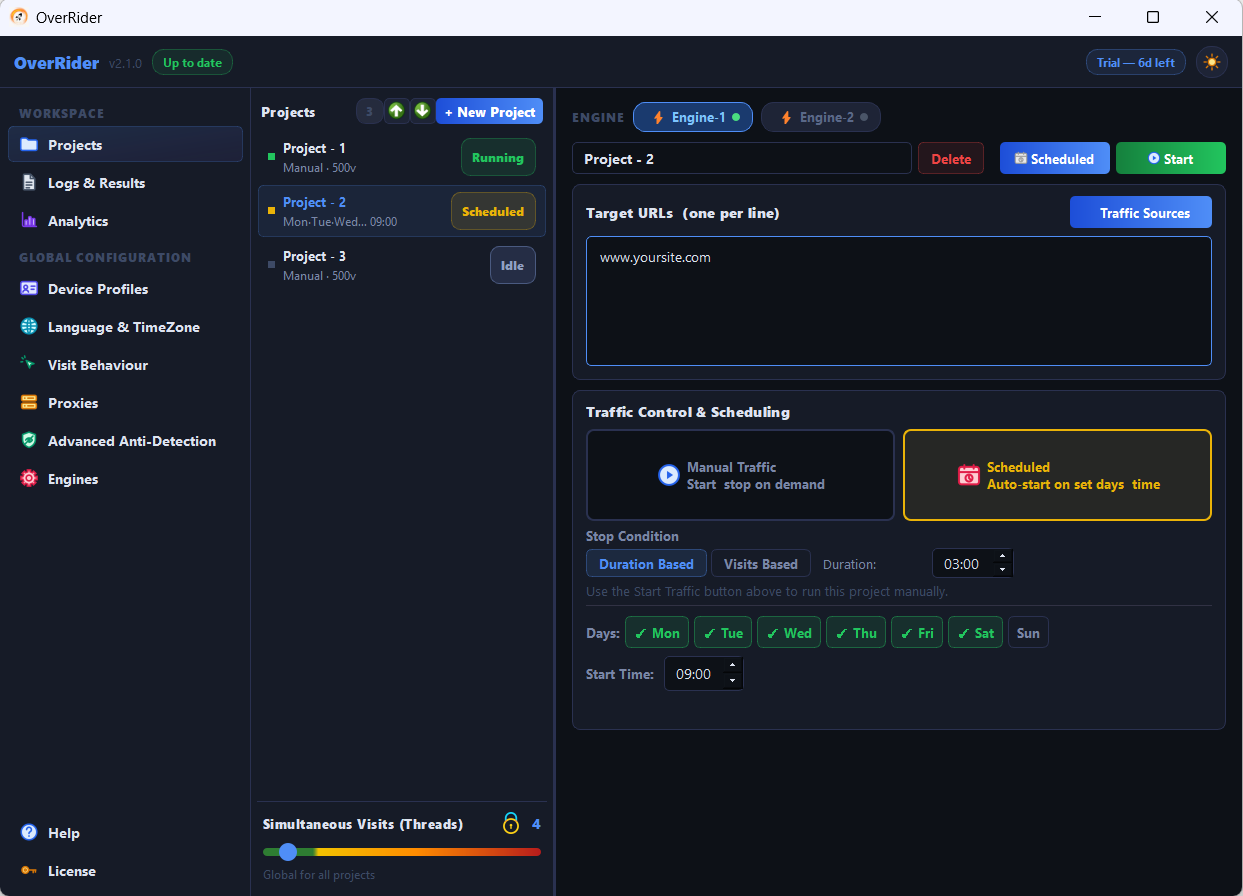
Because a project has a single start time, create several projects to build a daily pattern — for example one starting at 09:00 running four hours, and another at 14:00 running four hours. Remember that threads are shared, so overlapping projects split them.
Scheduled projects start on their own whenever OverRider is running. If you no longer want a scheduled project to fire, disable its schedule or delete the project — stopping it once is not enough.
Keeping the pattern natural
- Vary the gap between Min and Max Stay Time. A wide range such as 60 to 240 seconds produces a realistic spread; a narrow range produces a suspiciously uniform one.
- Do not run at a fixed rate around the clock if the goal is realism. Real traffic has daily peaks and quiet nights.
- Use several target URLs so visits do not all land on one page.
Last updated: