
Stop conditions: Duration vs Visits
Duration Based runs for a fixed time with no visit limit. Visits Based runs until a target count is reached, as fast as your threads allow. There is no combined option, so you cannot ask for a set number of visits spread across a set period.
Every project needs a stop condition. There are two, and they control different things.
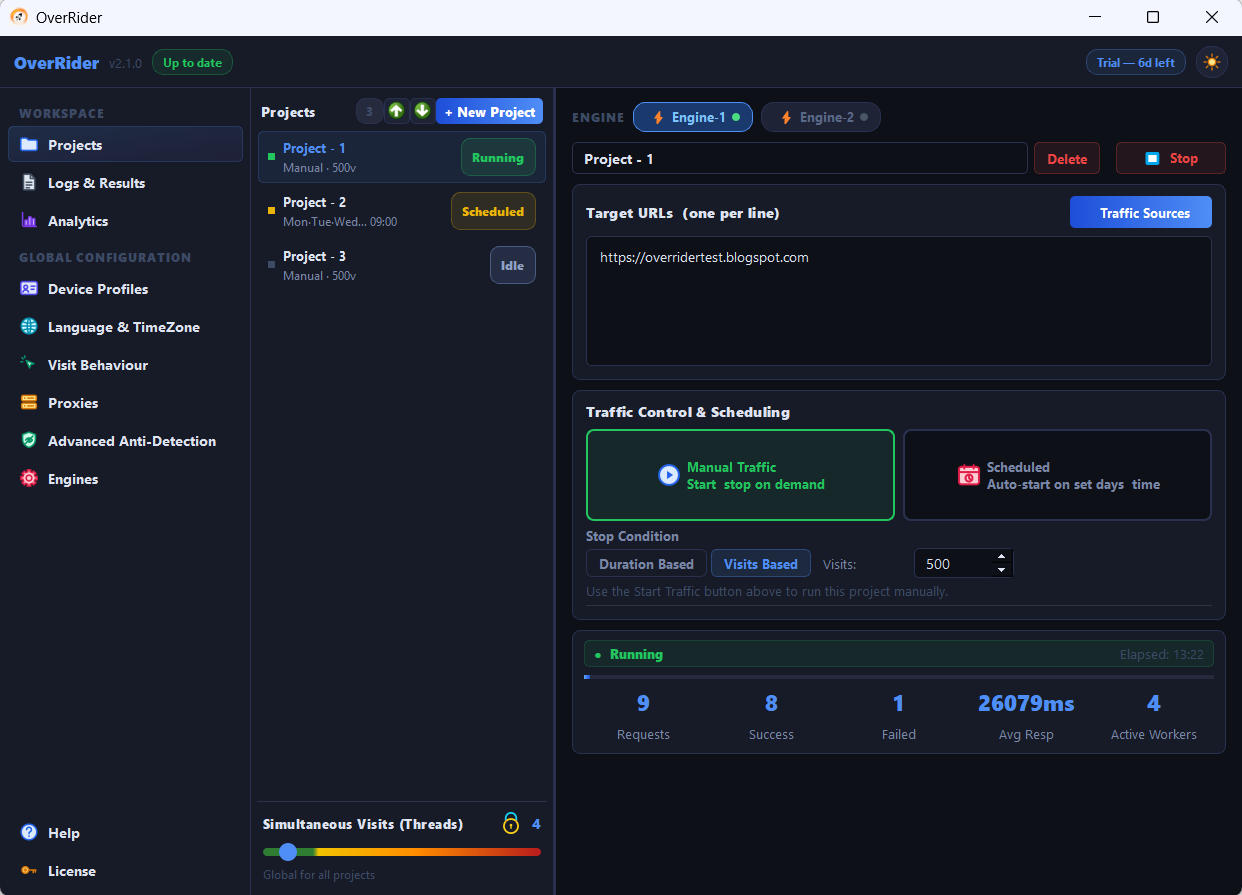
Duration Based
Runs for a fixed period, entered as hours and minutes. The default is 00:05.
It has no visit limit. The project keeps producing visits for the whole window, and however many that turns out to be is what you get. If you set eight hours with high threads and short stay times, you may generate far more than you expected.
Visits Based
Runs until a target count is reached, from 1 to 9,999,999, defaulting to 100.
It has no time control. Each thread pauses only 0.5 to 2 seconds between visits before starting the next one. The project finishes as fast as your hardware and that short pause allow.
What neither one does
There is no setting that combines the two — you cannot ask for “1,000 visits spread over 8 hours”. This is the most common feature request and it does not currently exist.
The workaround is to use Duration Based and control the rate with thread count and stay time, so the volume lands where you want it. The arithmetic is in Spread visits gradually over several hours.
Which to choose
| Use | Choose | Why |
|---|---|---|
| Testing a new setup | Visits Based, 10 | Finishes quickly and gives a clear answer |
| Load testing a server | Duration Based | You care about sustained concurrency, not total count |
| Producing a specific number | Visits Based | The count is exact |
| Traffic across a working day | Duration Based | The window is what matters; tune rate with threads and stay time |
| Scheduled daily runs | Duration Based | Predictable finish time, so runs never overlap the next start |
Stopping early
Pressing Stop ends the project regardless of its stop condition. Visits already in flight are ended and their browser processes closed, so stopping takes moments rather than waiting for long stay times to elapse.
Statistics from the completed run remain visible after stopping.
Stop conditions and scheduling
A scheduled project starts at its configured time and then obeys its stop condition normally. Pair the two carefully: if a project is scheduled daily at 09:00 with a Duration of 26 hours, the next day’s start arrives while it is still running.
As a rule, keep the duration comfortably shorter than the gap between scheduled starts.
Last updated: