
Run multiple projects at once
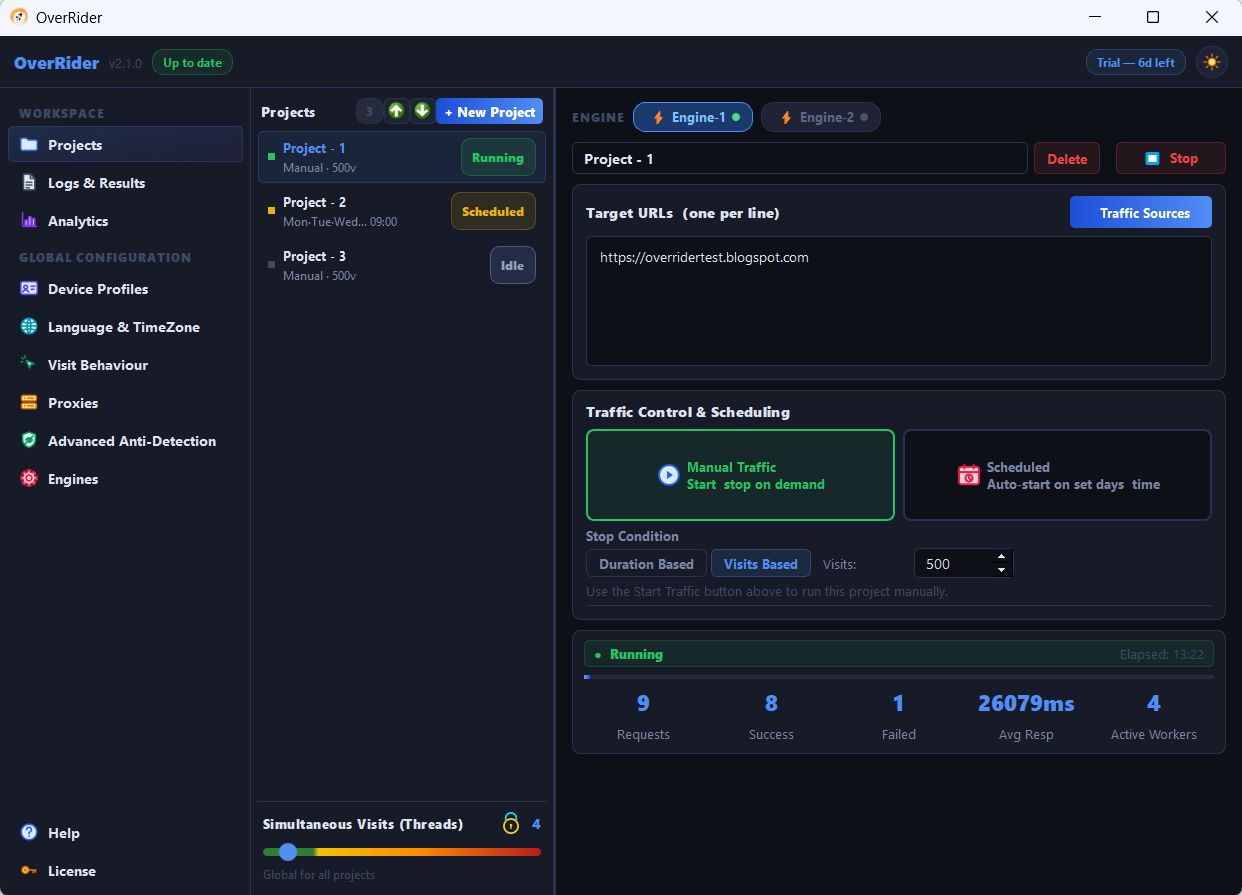
You can create and run any number of projects, with no limit on how many exist. The constraint is threads: the count is global and divided between running projects, so two projects sharing 10 threads get about 5 each.
There is no project limit
Projects are stored as individual files on your computer. There is no cap on how many you create, and no licence tier that restricts the number.
What limits you in practice is hardware, because of how threads are shared.
Threads are divided, not multiplied
The thread count is global. With 10 threads and two running projects, each gets roughly 5. Starting a third splits them three ways. Stopping one returns its share to the others.
So running four projects at once does not produce four times the traffic — it produces the same total, divided four ways. If you need more total throughput, raise the thread count (and check your machine can take it).
When to split into several projects
| Situation | Why a separate project helps |
|---|---|
| Several different websites | Keeps statistics and results separate per site |
| Pairing a keyword with a page | The only way to tie a specific referrer to a specific URL |
| Different countries | Different proxy selections per project |
| Different times of day | Each project holds one scheduled start time |
| Comparing engines | Run the same setup on Engine-1 and Engine-2 side by side |
What is shared and what is not
| Shared across all projects | Per project |
|---|---|
| Thread count | Target URLs |
| Visit behaviour and timing settings | Traffic sources |
| Device profile filters | Engine selection |
| Language and timezone settings | Stop condition |
| The proxy pool | Schedule |
This matters: changing stay times affects every project, not just the selected one. If you need genuinely different timing per site, run them at different times rather than together.
The proxy pool is shared too
All running projects draw from the same pool. Five projects with 20 qualifying proxies means those 20 addresses are spread thin, and the same IPs repeat often.
As a rough guide, aim for at least twice as many qualifying proxies as your total thread count.
Reading the statistics
The top bar aggregates across everything running. Each project’s own card shows its individual numbers. When several are running, use the per-project cards — the aggregate tells you little about which project is succeeding.
Starting and stopping independently
Each project starts and stops on its own. Stopping one leaves the others untouched, and its threads are redistributed to them within a few visits.
A practical ceiling
Two or three concurrent projects is comfortable on typical hardware. Beyond that, each gets so few threads that progress is slow and the statistics become hard to interpret.
If you have many sites to cover, running projects in sequence usually beats running them all at once.
Last updated: