
“Browser executable not found”
The engine your project is set to has no browser installed. Open the Engines panel and install or reinstall that engine, or switch the project to the other engine. The download needs an internet connection and a few hundred megabytes of disk space.
Every visit fails instantly with this message, and no browser ever opens. It means the engine selected for the project has no browser binary available.
Fix it
- Open the Engines panel.
- Check the install status of the engine your project uses.
- Install it if it is missing, or reinstall it if it claims to be installed.
- Wait for the download to finish before starting the project.
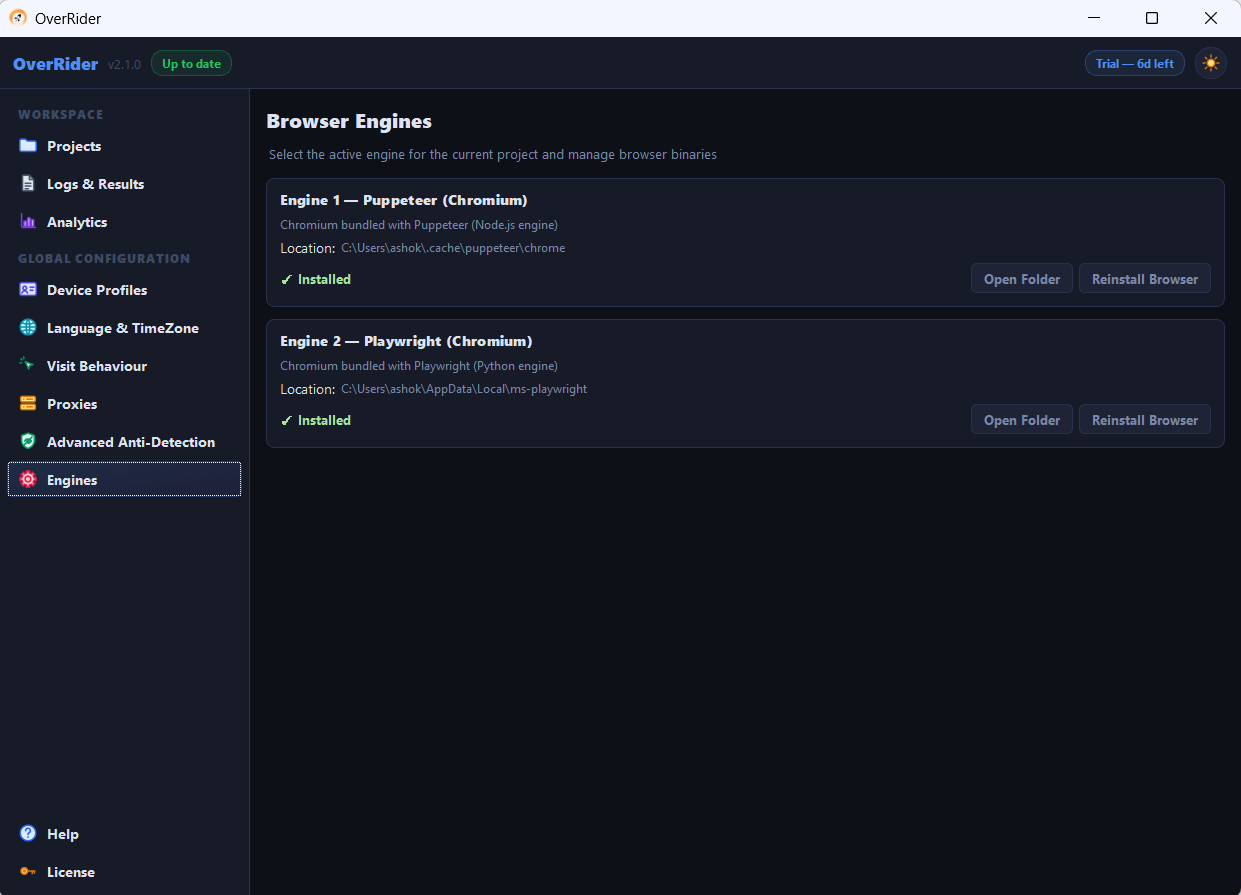
The quickest workaround, if the other engine is already installed, is to switch the project to it. Stop the project first — the engine cannot be changed mid-run.
Why it happens
1. Only one engine was installed
OverRider installs one engine automatically on first launch. If a project is set to the other one, it has nothing to run. This is the most common cause, and switching engines fixes it in seconds.
2. The first-run download did not finish
Each engine downloads several hundred megabytes. If the connection dropped, the application was closed, or the disk filled up, the install may be partial. A partial install can still report as present while the binary is missing.
Reinstall the engine rather than assuming it is fine because the panel says so.
3. Antivirus removed the browser
Some security suites quarantine automation browsers after installation, so the engine installs successfully and the binary disappears later.
Add the OverRider installation folder to your antivirus exclusions, then reinstall the engine. If it works once and breaks again days later, this is almost certainly the cause. See Antivirus is blocking OverRider.
Reinstalling fails
| Symptom | Cause and fix |
|---|---|
| Download starts then stops | Firewall or corporate proxy blocking it. Try another network. |
| “Access denied” during install | Insufficient permissions. Run OverRider as administrator once. |
| Out of disk space | Each engine needs several hundred megabytes. Free up space and retry. |
| Completes but the error persists | Restart OverRider so it re-detects the installation. |
Working behind a corporate network
Engine downloads come from the Puppeteer and Playwright distribution servers. Networks that block unknown download hosts will stop the install without an obvious message.
Install from an unrestricted connection — a home network or a mobile hotspot — and the engine will remain installed when you return to the restricted one.
Confirming it is fixed
Run a 5-visit project. If browsers launch and visits complete, the engine is working. If the same error appears, the reinstall did not actually place the binary — check your antivirus quarantine log before trying again.
Last updated: